EasyManua.ls Logo

Predator X34 - Page 12

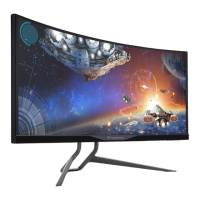
Predator X34
23 pages
Print Icon
To Next Page IconTo Next Page
To Previous Page IconTo Previous Page
Loading...
English
External
Controls:
Switch / Buttons
Power Button
Input switch
Volume
Over drive
Game mode
Main Menu OSD
Page Right/Left
Functions
Acer eColor Management
Brightness
Contrast
Blue Light
Dark boost
Adaptive contrast
Gamma
Input
DTS
OD
Ambient Light
Over Clock
Over drive
Color Temp
Saturation
6-axis color
Language
OSD Timeout
Refresh rate num
Transparency
Game mode
Aim point
Wide Mode
Reset
Power-off USB charge
*Allspecicationsaresubjecttochangewithoutnotice.
Regulatory Compliance
S&E
FindmanualsandotherdocumentsforyourAcerproductontheofcialAcersupportwebsite.
*Annual energy consumption is calculated using the typical power consumption 4 hours per day, 365 days per
year.