------------------------------------------------------------------------------------------------------------------
Note:
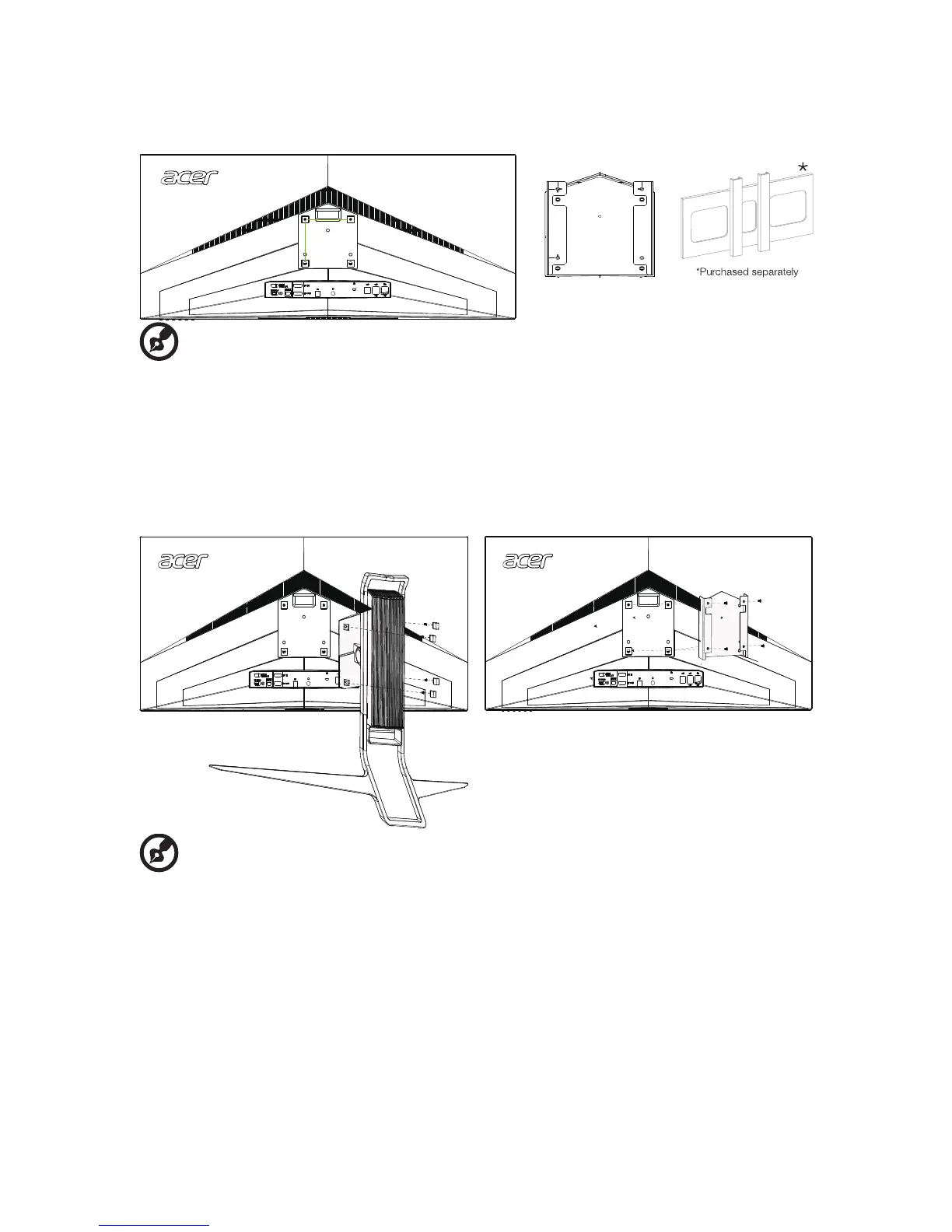
• The LCD monitor shall only be used with an approved am (e.g.GS mark).
• To meet the safety requirements, the monitor must be mounted to an arm that
supports the weight of the monitor.
• This monitor supports the VESA industry standard 100 mm mounting holes.
------------------------------------------------------------------------------------------------------------------------------------
------------------------------------------------------------------------------------------------------------------
Note:
The monitor could be mounted to the wall through mounting bracket, the steps as
below,
1. Remove the stand from the monitor, keep the four screws(M4*10.0mm).
2. To attach the monitor to a mounting bracket (purchased separately)
2.1.Attach the wall mount BKT with four M4*8.0mm screws, tighten it to the
back of the monitor;
2.2.Attach the mounting bracket with four M4*10.0mm screws, tighten it to
the wall mount BKT.


 To Next Page