7
Manual Feed-to-Length (FTL) Mode
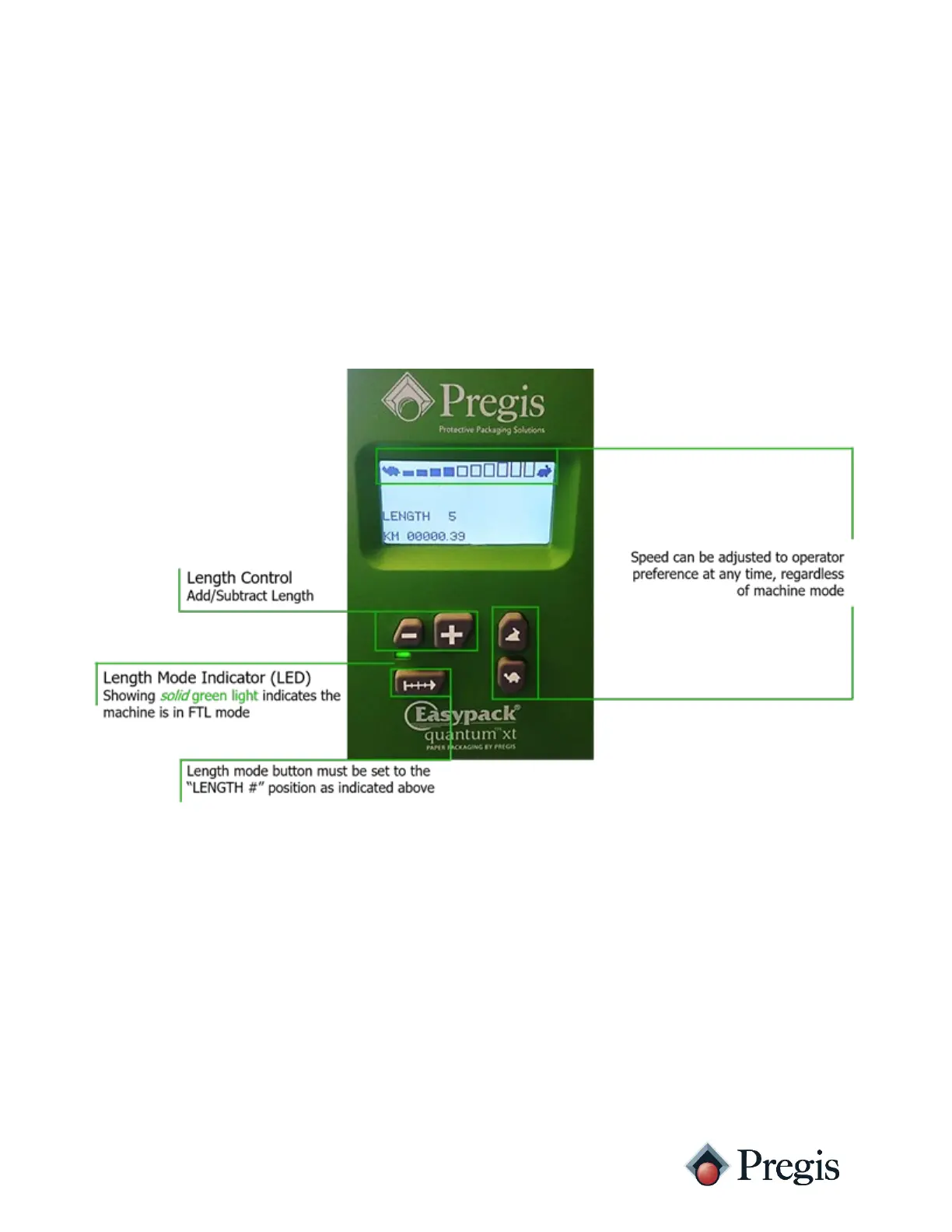
The manual feed-to-length (FTL) setting allows the operator to dispense a preset length of
material by activating the foot pedal briefly (i.e. “tapping” the foot pedal). Once the foot pedal
is “tapped” (activated briefly) the machine will dispense a preset length of material. The
operator must repeat the process to receive additional, preset lengths of material. In this mode,
the foot pedal also acts as an override. To receive a length of material greater than the preset
length, press and hold the foot pedal until the desired length is received. The preset length can
be adjusted (using the add/subtract buttons on head assembly) as needed.
Preset Lengths
There are 10 preset length settings. As you press the length control (add/subtract) button, the
machine will dispense a length of material equivalent to one 360 degree revolution of the drive
roller (approximately 9 inches of material). The length setting “1” defaults to 2 revolutions.
Each increase in length adds one additional revolution (up to 11 revolutions).



 To Next Page