EasyManua.ls Logo

Pregis SHARP MAX-PRO - User Manual

Pregis SHARP MAX-PRO
63 pages
Print Icon
To Next Page IconTo Next Page
Loading...
Parts: +1 (262) 246-8815 ext. 1571
sharpparts@pregis.com
Service: +1 (262) 246-8815 ext. 1572
sharpservice@pregis.com
Original Printed English Copyright 2021
Rev. 2
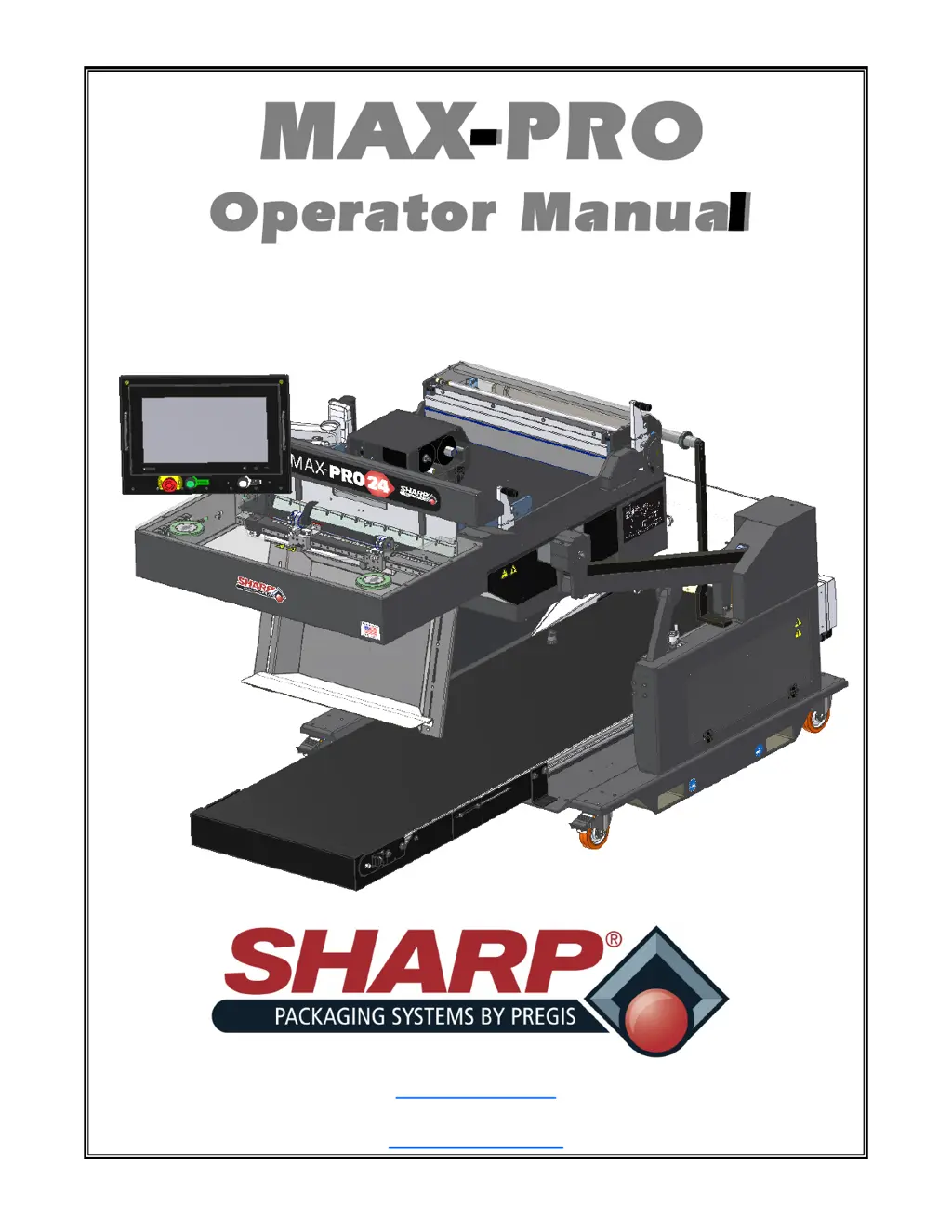
MAX-PRO
Operator Manual
Models 1182 & 1183

Questions and Answers

  • T
    Teresa HaleyAug 12, 2025
    How to fix a Pregis SHARP MAX-PRO Packaging equipment barcode that won't scan?
    • R
      rspencerAug 12, 2025
      If the barcode on your label isn't scanning, it might be due to a few reasons. First, the printer's darkness level could be incorrect, causing the barcode to be out of specification. Try printing a test label and manually adjusting the darkness or print speed settings if needed. Also, ensure there's enough blank space around the barcode—at least 1/8 inch (3.2mm) between the barcode and any other printed areas or the edge of the label.
  • B
    Beverly CrawfordAug 15, 2025
    What to do if my Pregis Packaging equipment has general print quality issues?
    • T
      taylorpowellAug 16, 2025
      If you're experiencing general print quality issues, start by cleaning the printhead and platen roller. Also, the printer might be set at an incorrect print speed or darkness level, possibly influenced by the driver or software in use. For the best print quality, adjust the darkness to the lowest possible setting suitable for your application and ensure the printhead pressure is at the minimum needed for good print quality.
  • R
    Randall MunozAug 19, 2025
    Why is the printing too light or too dark on my Pregis SHARP MAX-PRO Packaging equipment label?
    • H
      Heidi CastroAug 19, 2025
      If the printing is too light or too dark across the entire label, the printer is likely set at an incorrect darkness level. To get the best print quality, adjust the darkness to the lowest possible setting that works for your specific application.
  • S
    stephenmurphyAug 23, 2025
    What causes long tracks of missing print on Pregis SHARP MAX-PRO labels?
    • T
      Theresa RamseyAug 23, 2025
      Long tracks of missing print on several labels can be caused by a wrinkled ribbon. Verify the ribbon is loaded properly and smooth it out. Another possible cause is print element damage. In this case, call for service.
  • Z
    Zachary HurleyAug 27, 2025
    Why is printing too light or dark on one side of the Pregis SHARP MAX-PRO label?
    • A
      Angela AndersonAug 27, 2025
      If the printing is uneven, being too light or too dark on one side of the label, the issue is likely due to uneven printhead pressure. Try setting the printhead pressure to the minimum level required to achieve good print quality.
  • S
    Stephanie CamposAug 30, 2025
    How to prevent smudge marks on labels from Pregis SHARP MAX-PRO?
    • S
      Susan AguilarAug 30, 2025
      If you're seeing smudge marks on your labels, it could be that the media or ribbon you're using isn't designed for high-speed operation. Try replacing your supplies with those specifically recommended for high-speed printing.
  • D
    David WestSep 3, 2025
    How to improve print quality on thick labels using Pregis Packaging equipment?
    • S
      stacey72Sep 3, 2025
      If you're getting poor results when printing on thick labels, the print line may not be optimally positioned for your media. Try adjusting the print line specifically for thick media.
  • W
    Wendy BrownSep 7, 2025
    Why am I seeing fine, angular gray lines on blank labels from my Pregis SHARP MAX-PRO Packaging equipment?
    • V
      vcopelandSep 7, 2025
      Fine, angular gray lines on blank labels are often caused by a wrinkled ribbon. Ensure that the ribbon is loaded correctly and smooth it out.

Summary

Introduction and Safety Information

General Information

Overview of the manual, safety notices, and general operation guidelines.

Safety Rules and Procedures

Essential safety guidelines, emergency stop, and fire prevention measures.

Equipment Safety Features

Details on machine guards, obstruction sensing, and safety labels.

Specifications and Dimensions

Technical details on machine specs, packaging, dimensions, and assistance.

Bagging Materials

Information on compatible bag types and thermal transfer ribbons for the machine.

Controls and User Interface

Security and Access

Explanation of password protection for different user access levels on the HMI.

HMI Screen Navigation Overview

Overview of the HMI interface, including Home Screen and main functional buttons.

Operator Controls and Dashboard

Monitoring machine status, performance, and counters via the Operator screen.

Job Setup and Configuration

Configuring bag dimensions, feed speed, and other job-specific parameters.

Service and Diagnostics Screens

Guides users through service screens for detailed component control and diagnostics.

Support and Software Information

Contact details for service/parts and information on current software versions.

Setup, Operation, and Maintenance

Machine Placement and Electrical Setup

Guidelines for safely placing the machine and connecting electrical power and grounding.

Machine Adjustments

Procedures for adjusting air supply, height, head rotation, load shelf, and load plate.

Loading Materials

Step-by-step instructions for threading film and loading ribbon onto the machine.

Operation Procedures

Comprehensive guide on starting, running, and stopping the MAX-PRO bagging machine.

Cleaning and Maintenance Schedule

Detailed cleaning procedures for various machine parts and recommended maintenance schedules.

Faults, Alerts, and Troubleshooting

Bagger Faults and Solutions

Identifies common bagger faults, their causes, and recommended troubleshooting steps.

Bagger and Printer Warnings

Lists warnings related to the bagger and printer, with explanations and actions.

Printer Faults and Troubleshooting

Details printer-specific faults, messages, and solutions for troubleshooting print issues.

Appendix

Warranty Information

Outlines the standard terms and conditions of the machine's warranty.

Declarations of Conformity

Official declarations confirming compliance with EU and UK regulations and standards.

Pregis SHARP MAX-PRO Specifications

General IconGeneral
BrandPregis
ModelSHARP MAX-PRO
CategoryPackaging equipment
LanguageEnglish

Related product manuals