MAX-PRO Operator Manual
Original Printed in English
LOADING RIBBON
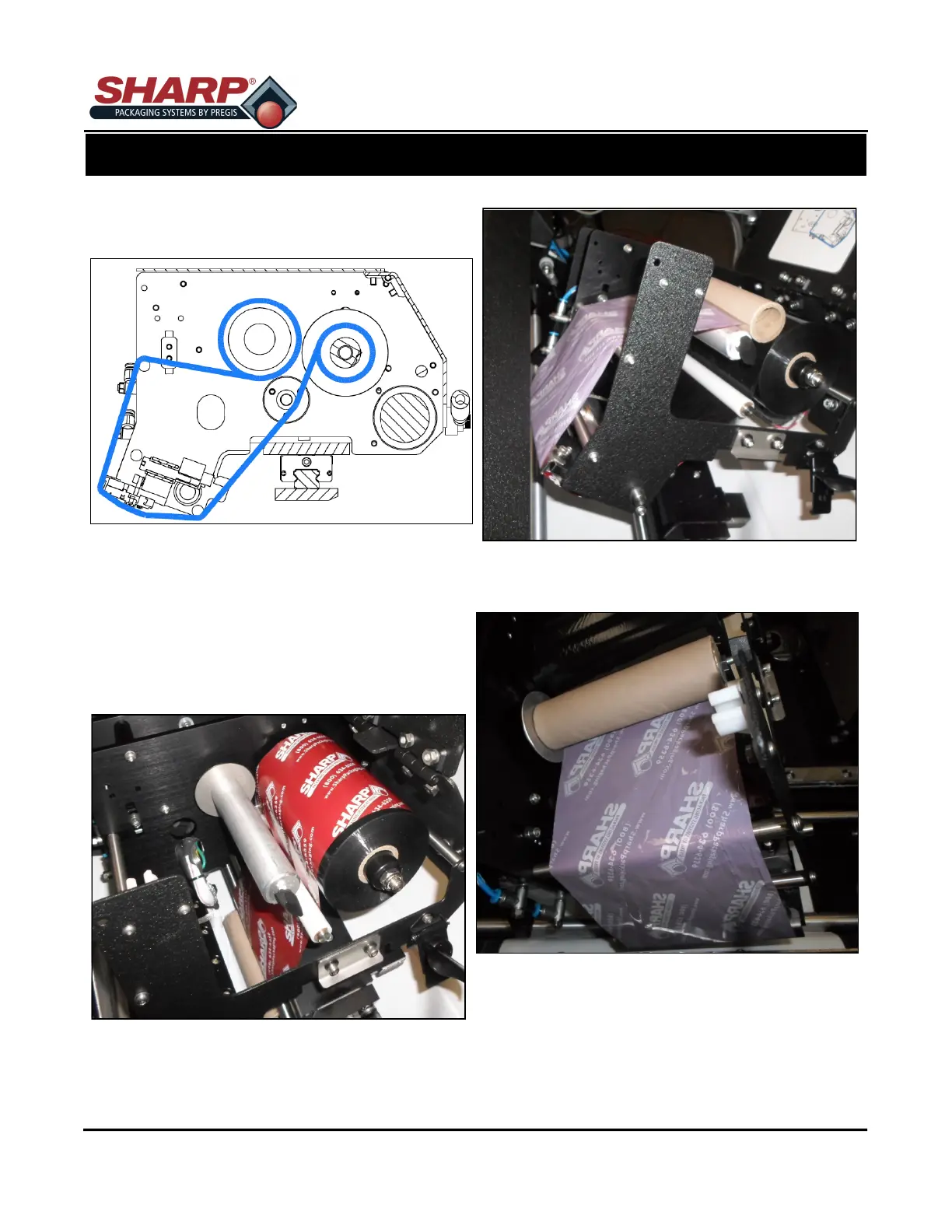
A decal showing the ribbon threading path is located
on the inside of Carriage Cover.
1. Raise the Carriage Cradle and Open Carriage
Cover.
2. Slide empty spool and used ribbon off of hubs.
3. Insert cardboard tube into carriage, let hang loose.
4. Place a new roll of ribbon onto the Ribbon Unwind
hub.
5. Thread the ribbon under Ribbon Roller Sleeve,
under Return Ribbon Shaft, around Printhead,
then up and over Ribbon Return Shaft to Ribbon
Rewind Hub.
6. Place empty cardboard roll onto Ribbon Rewind
Hub.
7. Turn knob on Take-Up Spool counter-clockwise to
ensure ribbon is tight.
8. Close the Printhead Cradle Cover.
9. Lower and lock the Carriage Cradle.
3-7
SECTION 3 - SET-UP & OPERATION



 To Next Page