
 Need help?
Do you have a question about the Prem-I-Air PEVAPKY32 and is the answer not in the manual?
Crucial operational advice and warnings about damage and warranty.
Notes on operating clearances and potential technical parameter changes.
Statement regarding manufacturer responsibility for incorrect usage.
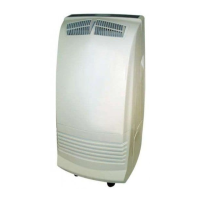
Labels for the control panel, air outlet, and handle on the front.
Labels for the air inlet grilles and exhaust outlet on the rear.
Step-by-step guide for attaching the unit's castors.
Method for connecting the drainage hose and securing it.
How to set up a continuous drain for the unit.
Steps for connecting the exhaust duct to the unit and window.
Visual and textual guidance on correct exhaust duct installation.
Warnings and illustrations of incorrect exhaust duct configurations.
Specifies temperature ranges for COOL and DRY modes.
Requirements for unit placement and surrounding clearance.
Details on voltage, wiring, plugs, and sockets for safe operation.
Describes the meaning of indicators shown on the LCD display.
Identifies the functions of buttons on the unit's control panel.
How to use ON/OFF and MODE buttons for unit operation.
How to adjust fan speed and set desired temperature.
How to activate timer and sleep operations.
Steps and considerations for operating in COOL mode.
Steps for dehumidification using the DRY mode.
How to use the unit in FAN mode for air circulation.
How the unit automatically adjusts settings in AUTO mode.
Explanation of LCD display and ON/OFF, SEND, DRY buttons.
How to activate and set the SLEEP function via remote.
How to adjust mode, temperature, and fan speed with the remote.
How to set timers and adjust time values using Hr/Min buttons.
Explains how cooling works and temperature settings for COOL mode.
Information on fan speed and functionality in DRY mode.
Explains automatic adjustments and timer for SLEEP mode.
Describes automatic temperature and fan adjustment in AUTO mode.
Clarifications on timer setting limits and functions.
Detailed steps for removing, washing, and drying the air filter.
Crucial safety warning to unplug the unit before maintenance.
How to clean the unit's outer casing safely.
Solutions for issues when the air conditioner does not turn on.
Troubleshooting for unresponsive unit with timer display.
Explains normal vs. defrosting operation when cool wind is absent.
Solutions for the "E5" error code, possibly related to power issues.
Solutions for the "E4" error code, indicating a full water tray.
Recommendations for ideal and safe unit location.
Terms and conditions of the product's one-year warranty.
 General
| Brand | Prem-I-Air |
|---|---|
| Model | PEVAPKY32 |
| Category | Air Conditioner |
| Language | English |


 To Next Page