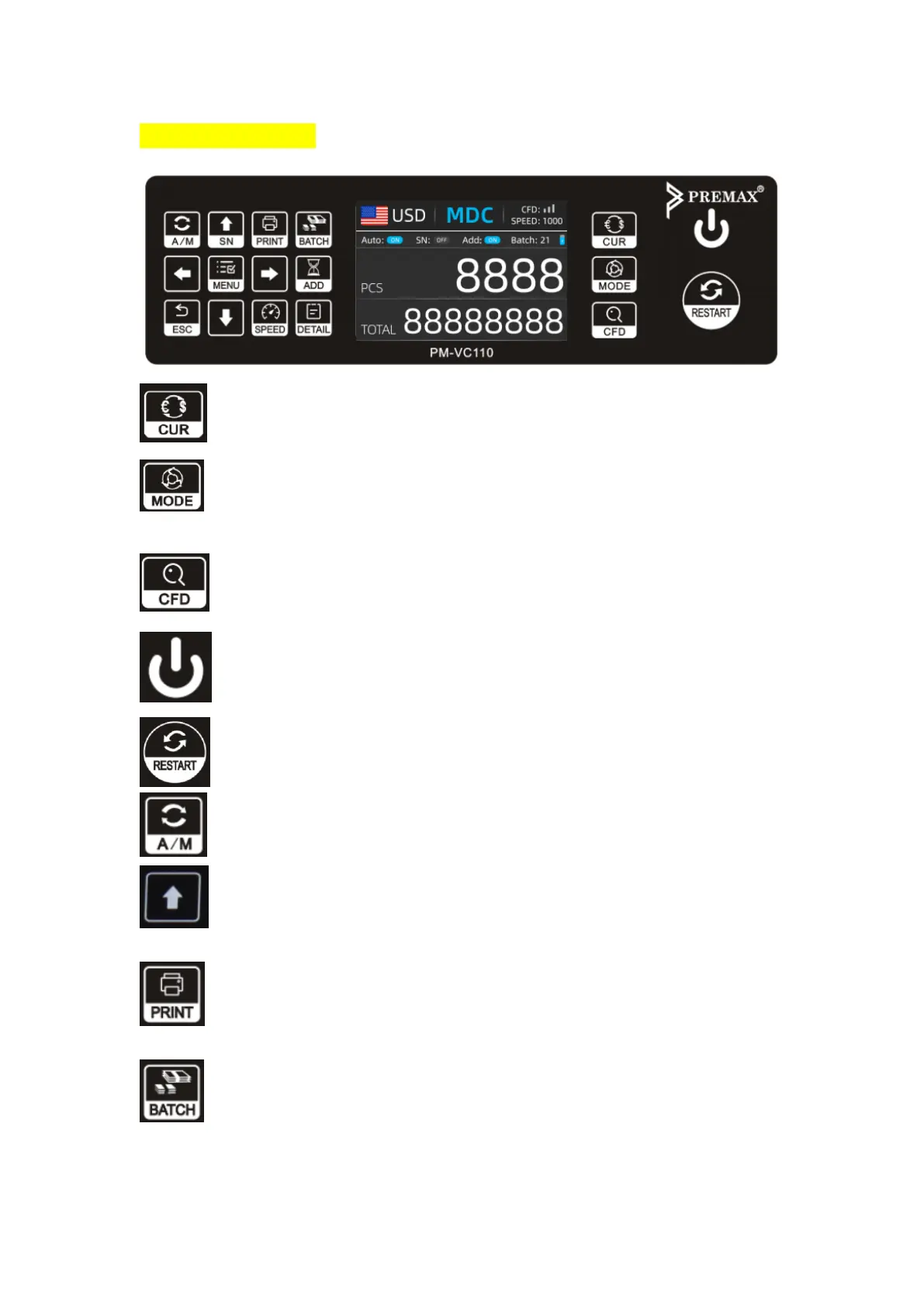
8. Control Panel
Select currency, AUTO, MULT mode.
Select counting mode: MDC(Mixed Denomination Count), SDC(Single Denomination
Count), CNT(COUNT).
Keeping press for 3 seconds to select counterfeit detection sensitivity level.
Turn on/off machine.
Start counting/clear counting result.
Select auto/manual counting
Turn on serial number recognition function; In BATCH mode, press it to increase
batch number by 1; Move cursor up in Menu.
If machine connect with a printer, press it to print receipt when report screen
displayed
BATCH function on. Each time press the BATCH button, 100, 50, 0 will be displayed
in turn.


 To Next Page