
 Need help?
Do you have a question about the PRESIDENT PM-2010 WP and is the answer not in the manual?
Key buttons for transmitting, channel selection, and power/volume adjustment.
Buttons for lock, triple watch, memory storage, and scanning operations.
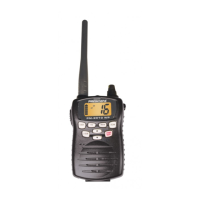
Details on the speaker, microphone, antenna, and battery pack.
Indicators for TX activity, transmission power, and current channel.
Indicators for memory, scan, triple watch, inland mode, and ATIS.
Indicators for battery level and keypad lock status.
Instructions and warnings for handling and charging the lithium-ion battery pack.
Summary of the PM-2010 WP's key capabilities and specifications.
Instructions for installing the drop-in charger on a counter or wall.
Steps to securely connect the antenna to the radio unit.
Procedure for correctly attaching the battery pack to the radio unit.
Steps to securely fasten the belt clip onto the radio.
Guide to turning on the radio and adjusting the squelch control.
Explanation and selection of Seagoing and Inland operating modes.
Instructions for navigating through radio channels using up/down buttons.
Quick access to emergency channels 16 and 9 via a dedicated button.
Monitors channels 16 and 9 while listening to the current channel.
Steps to store channels into memory for scanning.
Procedure to remove stored channels from memory.
How to initiate and stop the channel scanning function.
Information on backlighting for keys and the LCD display.
How to interpret the battery power level on the display.
How to lock and unlock the keypad to prevent accidental inputs.
Details on the Automatic Transmitter Identification System and its verification.
How to change operation modes for different countries (USA, INT, CAN).
 General
| Brand | PRESIDENT |
|---|---|
| Model | PM-2010 WP |
| Category | Transceiver |
| Language | English |



 To Next Page
