Hookup
Back Panel Connections
Quantum-series
Owner’sManual
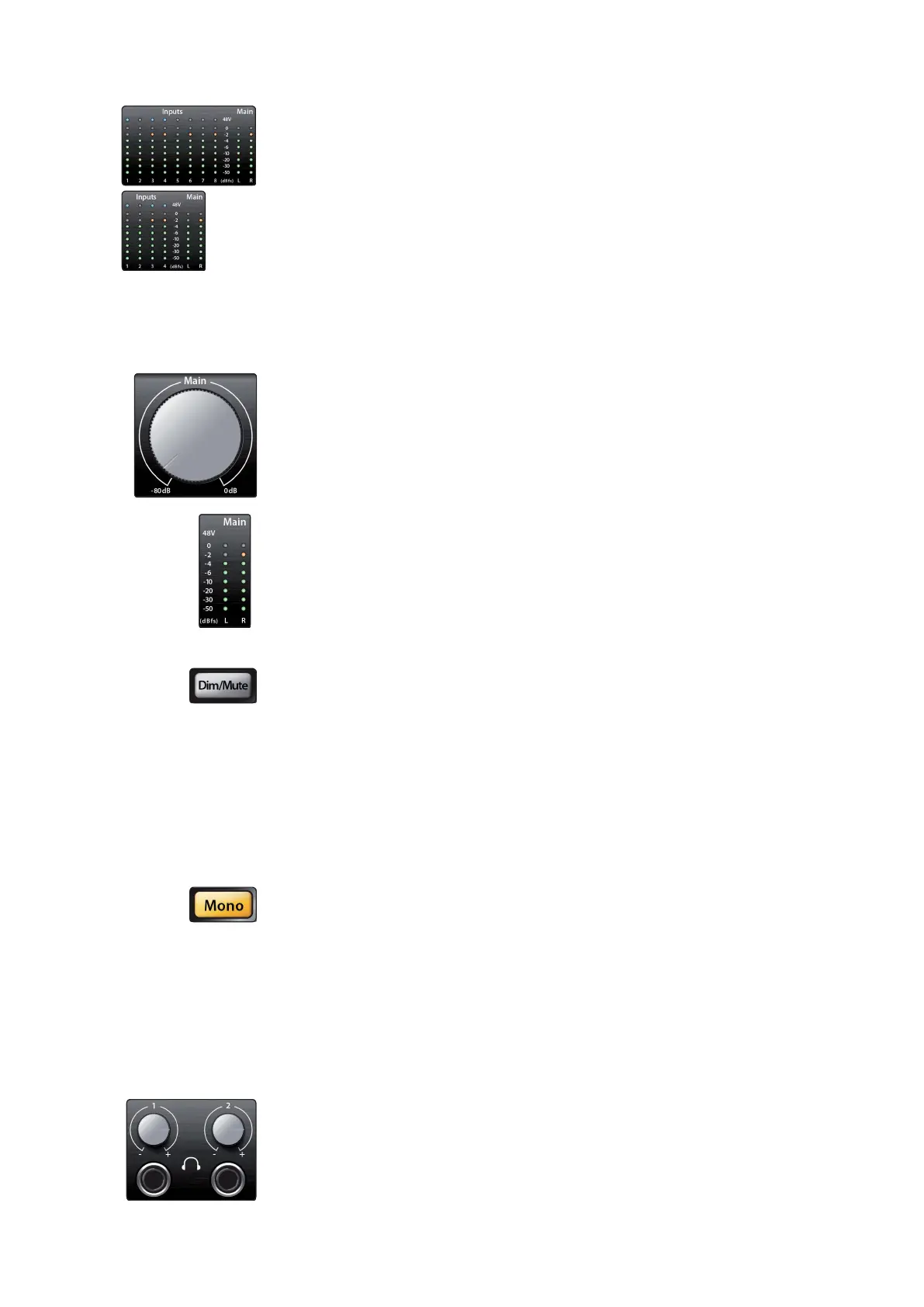
Input meters. These eight-LED meters show the input level of the analog inputs on
your Quantum-series interface. The green LEDs will illuminate when the input signal
ranges from -50dBFS to -4dBFS. The yellow LEDs will illuminate when the input signal
reaches -2dBFS. The red Clip LED will illuminate when your input signal reaches
-0.5dBFS. At this level, the signal will begin to overload the analog-to-digital
converters and exhibit signs of clipping. Use the gain controlsto keep the signal
below this level.
Input meters. 8
个
LED
仪表显示了
Quantum
系列音频接口上模拟输入的输
入电平。当输入信号在
-50dBFS
到
-4dBFS
之间时,绿色
LED
灯会亮起。当
输入信号达到
-2dBFS
时,黄色的
LED
灯将会亮起。当你的输入信号达到
- 0.5dBFS 时,红色的剪辑LED灯将亮起。在这个电平上,信号将开始超过
模数转换器的负荷,并表现出削波的迹象。使用增益控制来保持信号低于
这个电平。
Main.
TheMain knob can controlanyor all of the outputs on the rear panel of your
Quantum and has a range of -80 dB to 0 dB. In addition to level control,the main
outputs have thefollowing controls:
Main.
主旋钮可以控制
Quantum
后面板上的任何或所有的输出,其范围是
-80dB
到
0dB
。除了电平控制之外,主输出还有以下控制:
•
Meters. These meters display the signal level received from Driver Returns 1 and
2 (Main Left/Right). These meters have the same range as the input meters (-50
dBFS to -0.5 dBFS) and are before the main output level.
Meters. 这些仪表显示从驱动返回1和2(主左/右)收到的信号电平。这些
仪表的范围与输入仪表相同(-50dBFS到-0.5dBFS),并且在main output
level
主输出电平之前。
•
Dim / Mute (Quantum).This button controls both the Dim and Mute functions
for the Main Outputs. Press the button and release it to lower the outputs signal
by 20 dB. Press and hold the button to Mute the Main Output signal. The button
will illuminate yellow when Dim is active and red when Mute is active. These
functions are also available from within UC Surface and Studio One.
Dim / Mute (Quantum).这个按钮同时控制主输出的调光和静音功能。按
下该按钮并释放它,可以将输出信号降低20dB。按住该按钮可以使主输
出信号静音。当
"
调光
"
功能激活时,该按钮将亮起黄色,当
"
静音
"
功能
激活时,将亮起红色。这些功能也可以在
UC Surface
和
Studio One
中使用。
•
Mono (Quantum). Press this button to sum the Main stereo output signal to
mono.The mono function is also available from within UC Surface and Studio One.
Mono (Quantum).
按这个按钮,可以把
Main stereo output
主立体声输出
信号加到单声道。单声道功能也可以在UC Surface和Studio One中使用。
PowerUser Tip:Use the Mono feature to verify mono compatibility and to check for
phase cancellationin your stereo mixes.
用户提示:使用单声道功能来验证单声道的兼容性,并检查立体声混音中
的相位消除情况。
Headphones. Your Quantum-series interface provides two/one headphone
output(s), each with its own level control. Each headphone output is provided with
its own unique output stream to route audio directly from your DAW (Quantum:
playback streams 11/12 and 13/14; Quantum 2: playback streams 5/6). These streams
are labeled as “Phones 1”and “Phones 2” in UC Surface. From UC Surface, any mix
can beroutedto eitherheadphone output. By default on Quantum, Headphone 1
mirrors the Main Output and Headphone 2 mirrors Output 1-2.















 To Next Page