22
4 Studio One Artist Quick Start
4.3 Creating a New Song
STUDIO26c and STUDIO68c
Owner’s Manual
4.3.1 Configuring Your I/O
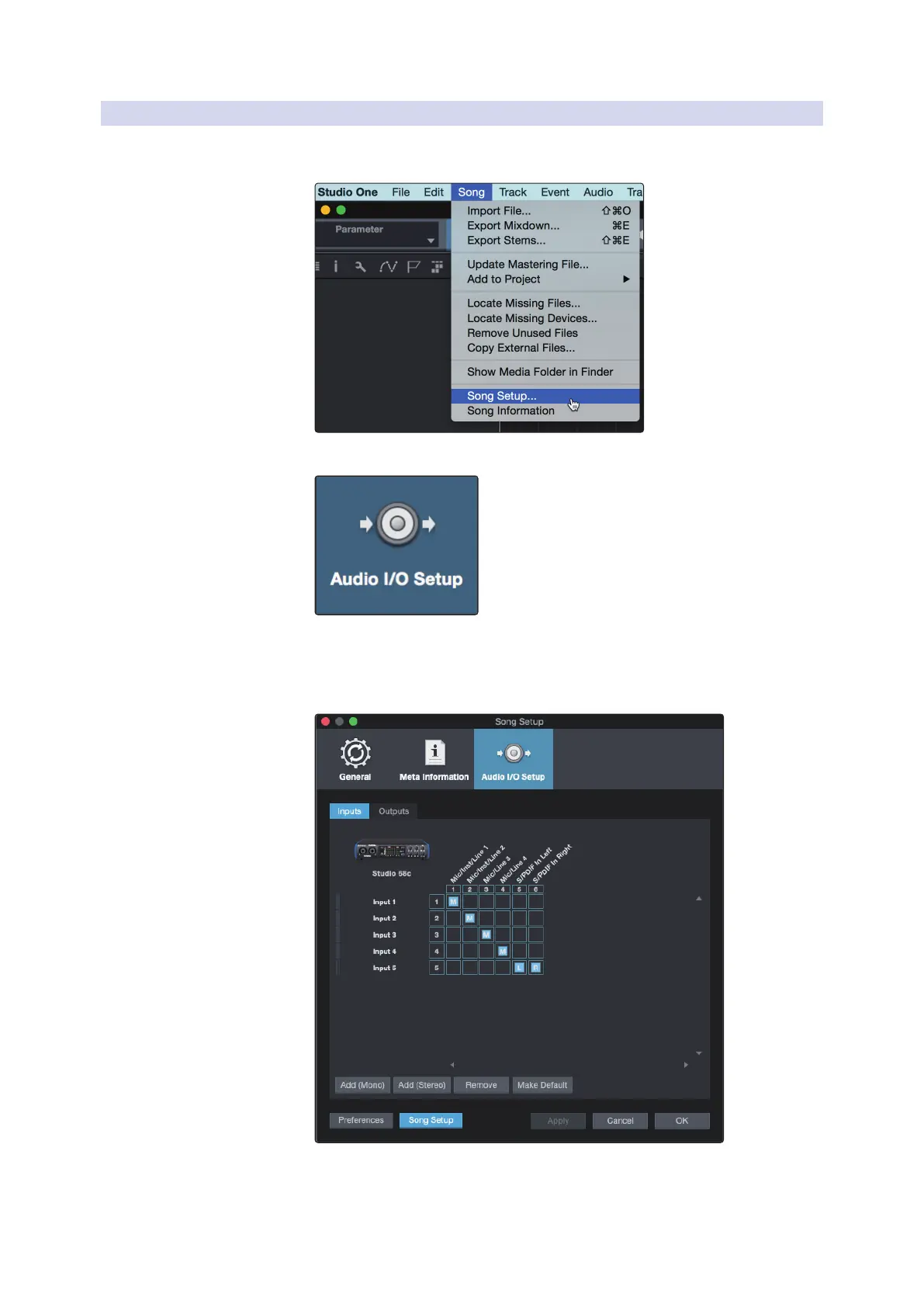
1. Click on Song | Song Setup to set your sample rate and
resolution and configure your audio I/O.
2. Click on the Audio I/O Setup tab.
3. From the Inputs tab, you can enable any or all of the inputs on your PreSonus
Studio-series audio interface that you’d like to have available. We recommend
that you create a mono input for each of the inputs on your interface. If you
plan on recording in stereo, you should also create a few stereo inputs.















 To Next Page