Prestan professional
AED TRAINER
COPYRIGHT 2012 PRESTAN PRODUCTS LLC 9 Rev. 101812
beep, about 10 seconds.
Automatic/Semi-Automatic
(Continued)
• The first beep is for test mode so wait for the second double beep
• The Shock button will flash on and off
• Look at the Selection Indicator Lights
• If there are three yellow lights – you are in Semi-Automatic Mode
• If there are three red lights – you are in Automatic Mode
• To change the Mode, Push the shock button
• To Exit and Save, Press the On/Off Button
CLEANING INSTRUCTIONS
The Prestan Professional AED Trainer should be kept clean. If it becomes soiled, simply wipe with
a clean, damp, soft cloth. If the Trainer is extremely dirty, common cleaners can be used
cautiously with a minimum amount of abrasion to ensure the life of the unit. Do not submerge in
water.
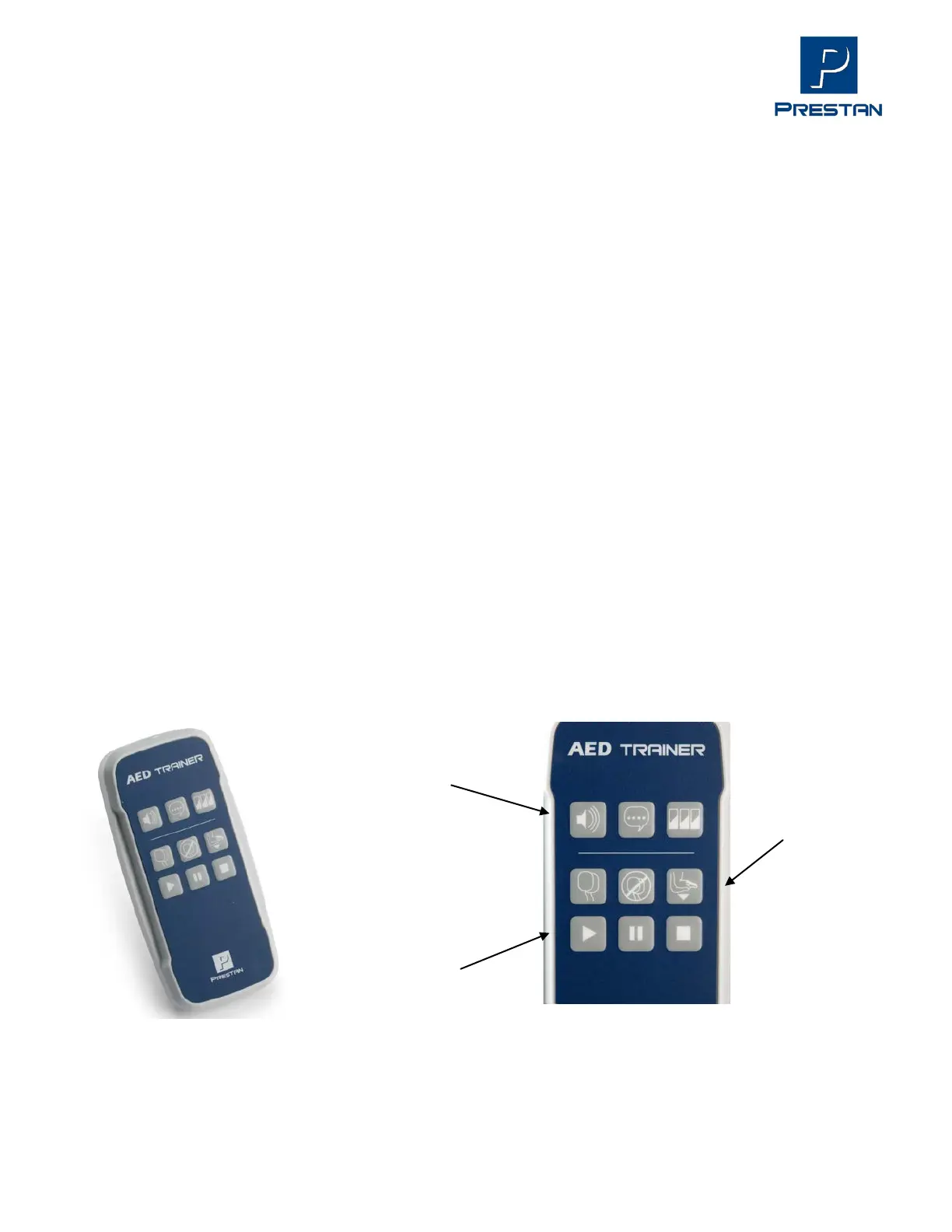
PROFESSIONAL AED TRAINER REMOTE
[OPTIONAL – NOT INCLUDED WITH AED TRAINER]
PP-AEDT-100-R Prestan Professional AED Trainer Remote with 2 'AA' batteries (for use with the
Prestan Professional AED Trainer)
Language
Scenario
Pads Off
Push Harder
Pause
Stop


 To Next Page