EN-4
EN
QuickStartGuide
PrestigioMultiPad
PMP5785C_QUAD
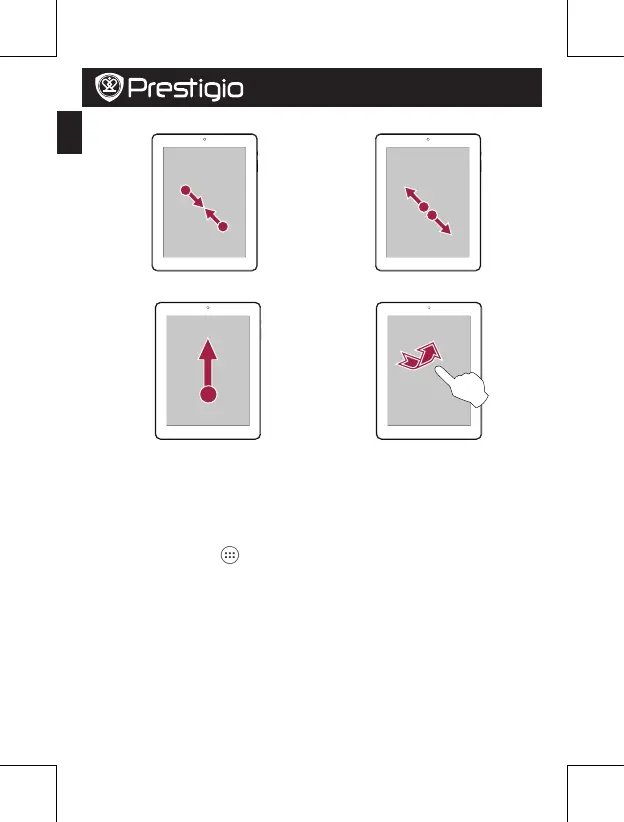
• Zoomin • Zoomout
• Scroll • Flick
Home screen
YourHomescreenisthestartingpointtoaccessallofthetablet’sfeatures.TheHome
screencanhavemultiplepanels.Toviewotherpanels,swipeleftorright.
Add an app icon to home screen
OntheHomescreen,tap
toopenlistmemu,tapandholdanapplicationicon,and
thendragitintoapanelpreview.
Set wallpaper
1.TapandholdtheblankareaontheHomescreen.
2.Selectoneofthefollowing:Gallery,Live wallpapersorWallpapers.
3.SelectanimageandtapSet wallpaper.Or,selectanimage,resizeitbydraggingthe
frame,andthentapOK.
Use your apps
Openanapp
• OntheHomescreenorthemainmenu,selectanappicontoopenit.















 To Next Page