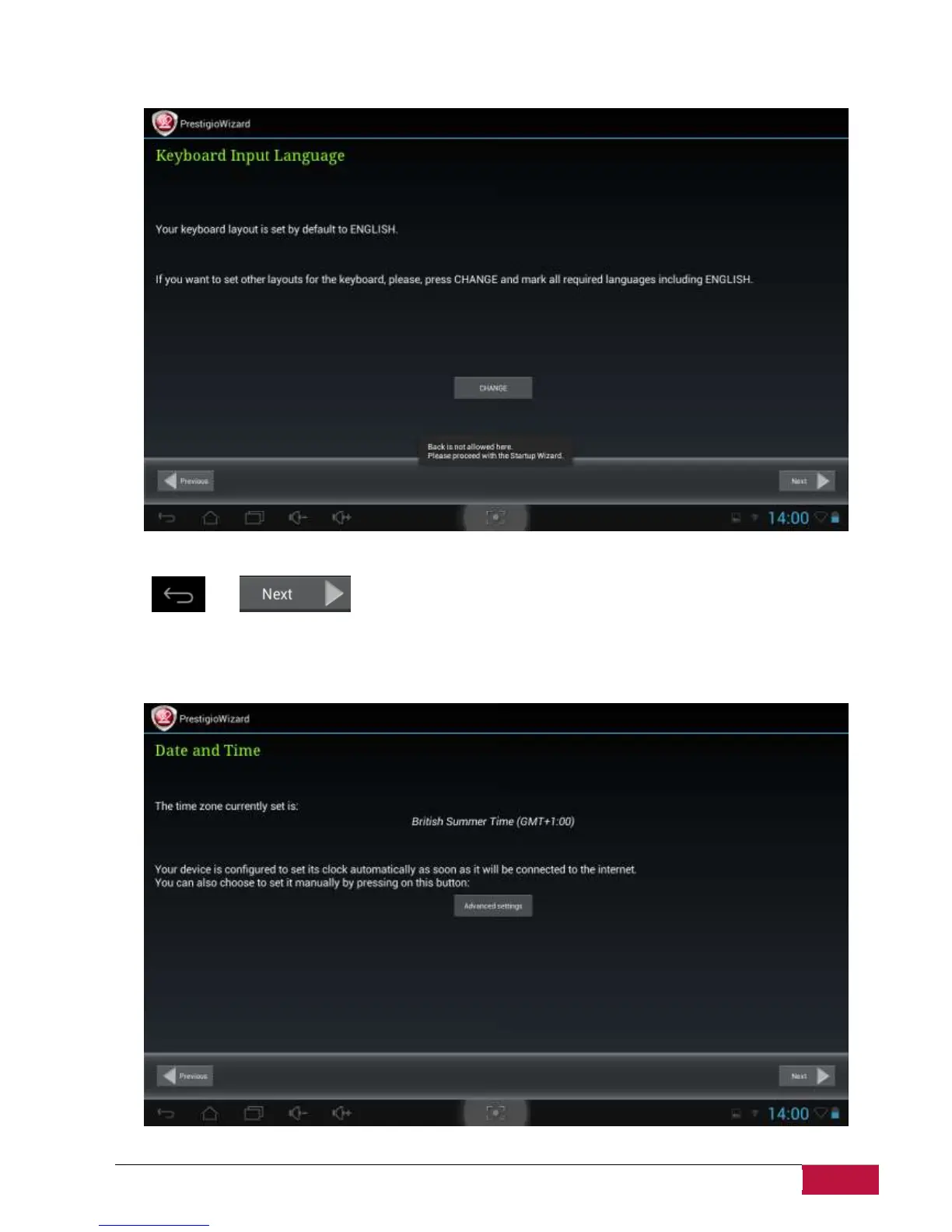
Keyboard Input Language screen provides users with option to select the necessary layouts of Android
Keyboard.
You may select several layouts (e.g. English (US) and German) by checking respective checkboxes.
Tap and to continue when ready.
Date and Time screen has to be used for exact Time Zone setup. By default the MultiPad tries to retrieve
use time information from Internet time servers.
In case you do not have an Internet access right now you may Advance Options button, turn Automatic















 To Next Page