•Edit: Launch Paper Artist to edit the photo.
•Crop: Resize the orange frame to crop and save the photo in it.
•Set picture as: Set the photo as a wallpaper or a contact image.
•Details: Check information of the photo.
Crop a photo
1. On the home screen or list menu, tap .
2. Browse to the photo that you want to edit.
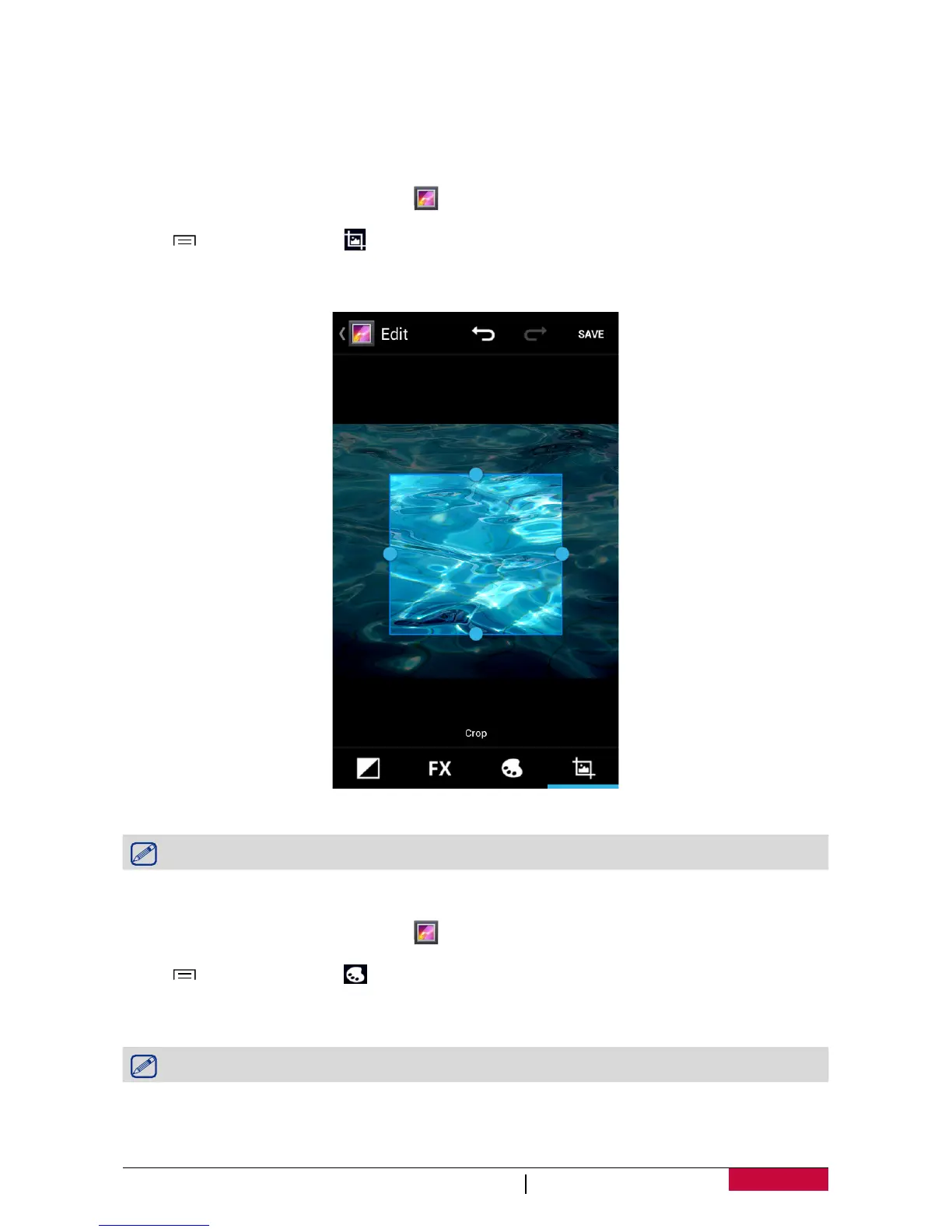
3. Tap > Edit, and then tap > Crop. You’ll see a crop box around the photo.
- Drag the crop box over the part of the photo you want to crop.
- Press and hold the edge of the crop box. When directional arrows appear, drag your finger
inward or outward to resize the crop box.
4. Tap Save.
The cropped photo is saved as a copy. The original photo remains unedited.
Add photo effects
1. On the home screen or list menu, tap .
2. Browse to the photo that you want to edit.
3. Tap > Edit, and then tap .
4. Tap an effect to apply to the photo.
5. Tap Save.
The enhanced photo is saved as a copy. The original photo remains unedited.
Share your photos
You can share your photos with another device via email, MMS or Bluetooth.












 To Next Page