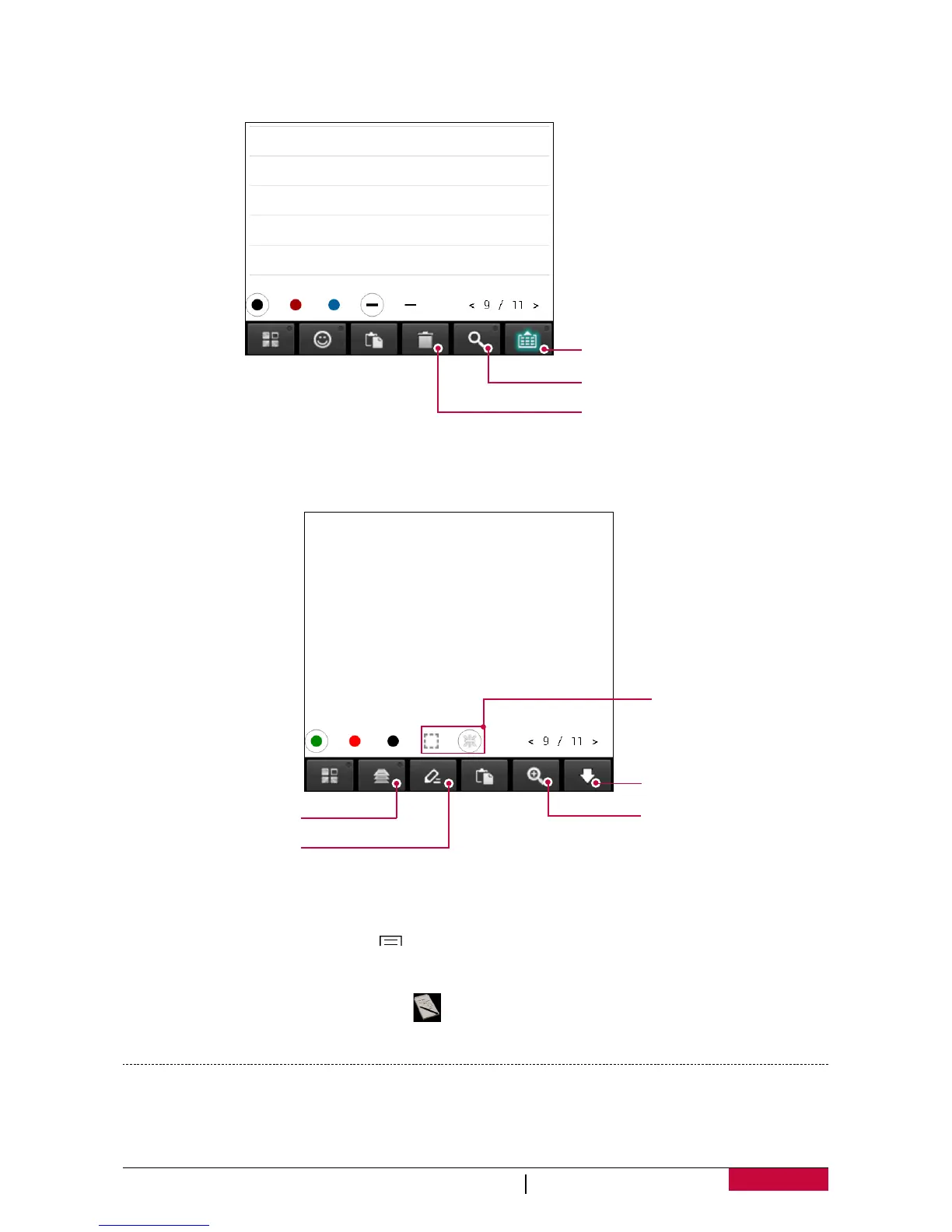
Use keyboard
- Tap the third selection in action tab (handwrite/paint/keyboard), choose keyboard.
Show the virtual
keyboard
Search
Delete the note
Use painting brush
- Tap the third selection in action tab (handwrite/paint/keyboard), choose Paint.
Page down
Zoom in and
zoom out
Click the
layer to edit
Edit the
painting brush
Select the tools
Add attachment
- While composing the note, tap > Insert... to add photo, audio, video and other files.
View your notes
1. On the home screen or list menu, tap .
2. Toggle the page to view your notes.
Google search
Use this application to search not only the Internet, but also apps and their contents on your
phone as well.












 To Next Page