1
USER MANUAL MultiReader PER5364BC
1. Unboxing
Open your package
•Prestigio MultiReader •USB cable
•AC adapter •Quick start guide
•Warranty card •Legal and safety notices
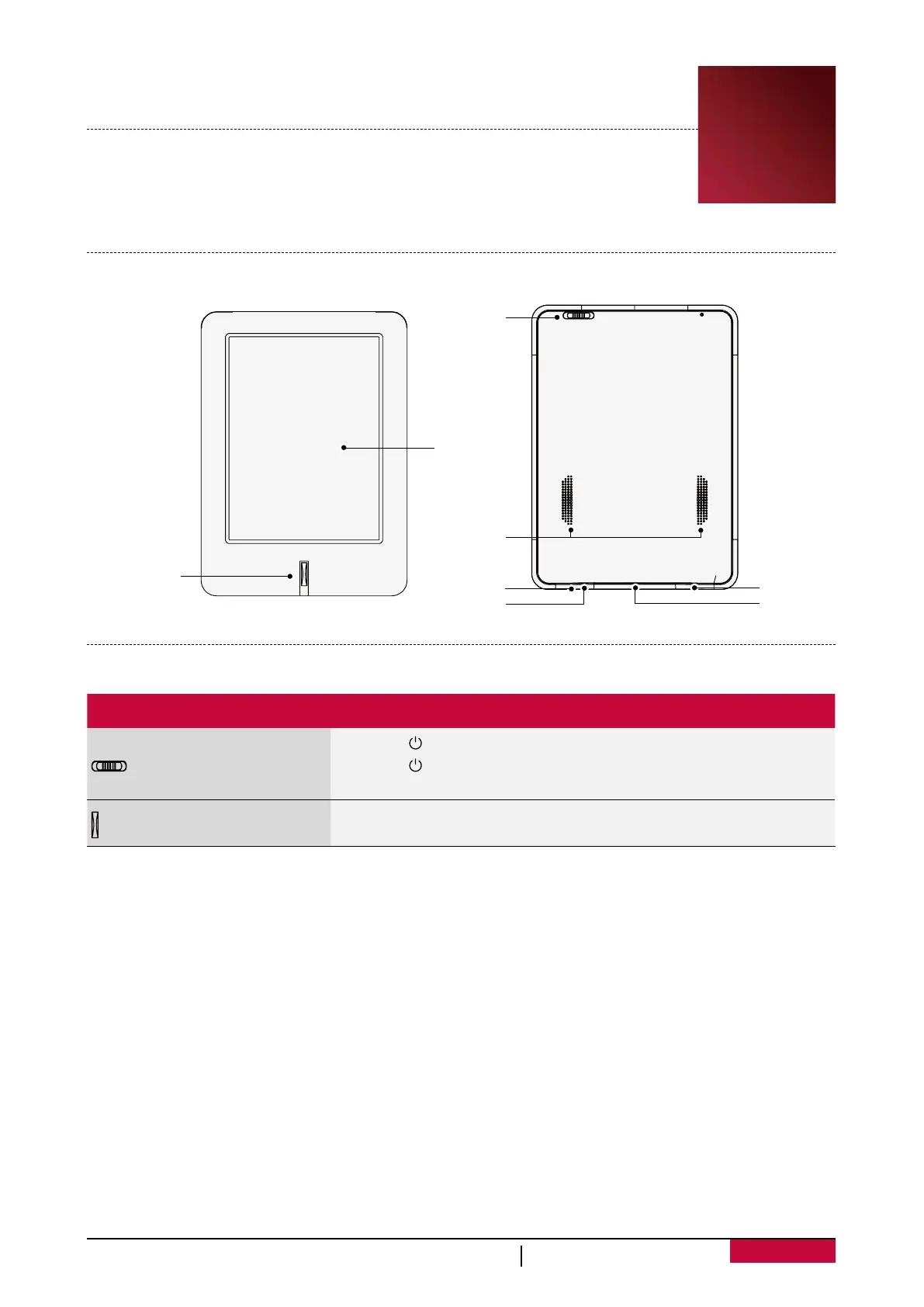
Your eReader at a glance
E-INK touch
screen
Back button
Headset jack
Micro SD
card slot
Power/
Menu slider
Speaker
Micro USB port
Reset hole
Buttons
Button Definition Function
Power/Menu slider
•Slide to to lock or unlock your eReader.
•Slide to and hold to power on or off your eReader.
•Slide to M to open the menu options.
Back
•Tap to return to the previous screen.
• Tap to hide the onscreen keyboard when it is opened.
11



 To Next Page