EasyManua.ls Logo

Prestigio ReVolt A8 - LED indication; Troubleshooting

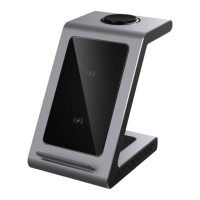
Prestigio ReVolt A8
56 pages
Print Icon
To Next Page IconTo Next Page
To Previous Page IconTo Previous Page
Loading...
ReVolt A8
©2021 Prestigio
37
LED indication
No LED indicator is on
The station is not
connected to the power
line
The power connection
indicator is red. Other
indicators are off.
The station is connected
to the power line None
of their devices are
charging
The power connection
indicator is red. One or
more device lights are
blinking blue slowly
The station is connected
to the power line One
or more devices are
charging
One or more device lights
are blinking blue quickly
Protection against
foreign objects actuated
Troubleshooting
Wireless
charging station
does not turn
on, LEDs are off
Ensure that the socket you have
plugged the adapter into is
receiving power Use only the
original cable and power adapter
The device/
devices are not
Ensure that your devices support
the Qi wireless charging protocol.

Other manuals for Prestigio ReVolt A8

Related product manuals