EasyManua.ls Logo

Prestigio ReVolt A7 - User Manual

Prestigio ReVolt A7
20 pages
Print Icon
To Next Page IconTo Next Page
Loading...
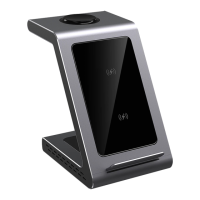
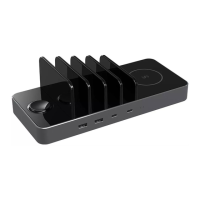
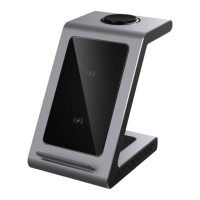
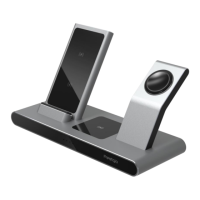
Prestigio ReVolt A7
Wireless charging station
Item: PCS107A_SG_EU, PCS107A_SG_UK
User manual
Version 1.2

Other manuals for Prestigio ReVolt A7

Questions and Answers

  • R
    Ricardo AndrewsAug 10, 2025
    What to do if my Prestigio ReVolt A7 is not charging?
    • M
      Michael JonesAug 10, 2025
      If your Prestigio Battery Charger isn't charging your device or devices and the indicators aren't working, first, make sure your devices are compatible with the Qi wireless charging protocol. If they are, try slightly adjusting the position of the device being charged, and remove any covers or accessories that might be interfering with the connection.
  • C
    Charles OwensAug 16, 2025
    How to fix a Prestigio Battery Charger that won't turn on?
    • M
      mmontgomeryAug 16, 2025
      If your Prestigio Battery Charger wireless charging station isn't turning on and the LEDs are off, ensure that the power socket you've plugged the adapter into is actually providing power. Also, make sure you are using the original cable and power adapter that came with the device.
  • W
    William DavisAug 22, 2025
    What to do if my Prestigio ReVolt A7 is not charging and the indicator is not lit?
    • A
      Alexander HubbardAug 22, 2025
      If your device isn't charging and the indicator light is off, the issue might be due to a few reasons. First, confirm that your device supports the Qi wireless charging protocol. Second, try adjusting the device's position on the charging station. Lastly, remove any case or accessories, especially if the case is thicker than 4mm or has metal parts.
  • D
    djonesAug 28, 2025
    Why my Prestigio ReVolt A7 wireless charging station does not turn on?
    • A
      Autumn MckenzieAug 28, 2025
      If the wireless charging station isn't turning on and the LEDs are not lit, the problem might be with the power outlet. Ensure the outlet you're using is active. Also, make sure you are using the original cable and power adapter that came with the Prestigio Battery Charger.
  • A
    Ashley HoganSep 3, 2025
    What to do if Prestigio ReVolt A7 device indicator blinks blue rapidly?
    • R
      Regina JohnsonSep 4, 2025
      If the device isn't charging and the indicator light is blinking blue rapidly, there might be metal objects interfering with the charging process. Ensure that there are no metal objects between your device and the charging station.

Prestigio ReVolt A7 Specifications

General IconGeneral
BrandPrestigio
ModelReVolt A7
CategoryBattery Charger
LanguageEnglish

Related product manuals