5
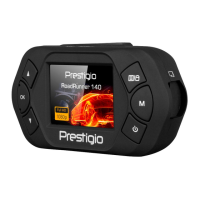
User Manual RoadRunner 140
6. Playback
Play video on DVR
1. In playback mode, press [ ]/[ ] to scroll through the files.
2. Press [OK] to start/Pause playback.
3. ]EDOM[ sserP
to stop playing.
4. Press [MENU] again to exit playback mode.
Playback on PC
Remove memory card from DVR and insert it into computer’s card reader.
DVR’s USB port is for charging purpose only.
7. Specifications
Display 1.5", 480 x 240 pixels
Processor NTK96223
Image sensor 1.0 MP, CMOS I 1/4"
View angle 110°
FHD 1920x1080@24fps, HD 1280x720@30fps, VGA 640x480@30fps
12 MP
Video codec
Video resoluon
Photo resoluon
AVI
Picture format JPG
Memory up to 32 GB (high-speed SD card recommended, SDHC)
Microphone Built-in
Yes
Power source
Interfaces Micro USB 2.0 (for charging only)
0 °C ~ 45°C
Dimension 73.06 x 39.56 x 41.09 mm (H x W x D)
Weight 39.2 g
6
7
Moon Detecon
Built-in baery, car charger
Operang temperature


 To Previous Page