EasyManua.ls Logo

Prexiso P80 - Operations; Switching ON;OFF; Clear; Message Codes

Prexiso P80
12 pages
To Next Page IconTo Next Page
To Previous Page IconTo Previous Page
Loading...
PREXISO P80 788508
3
EN
Operations
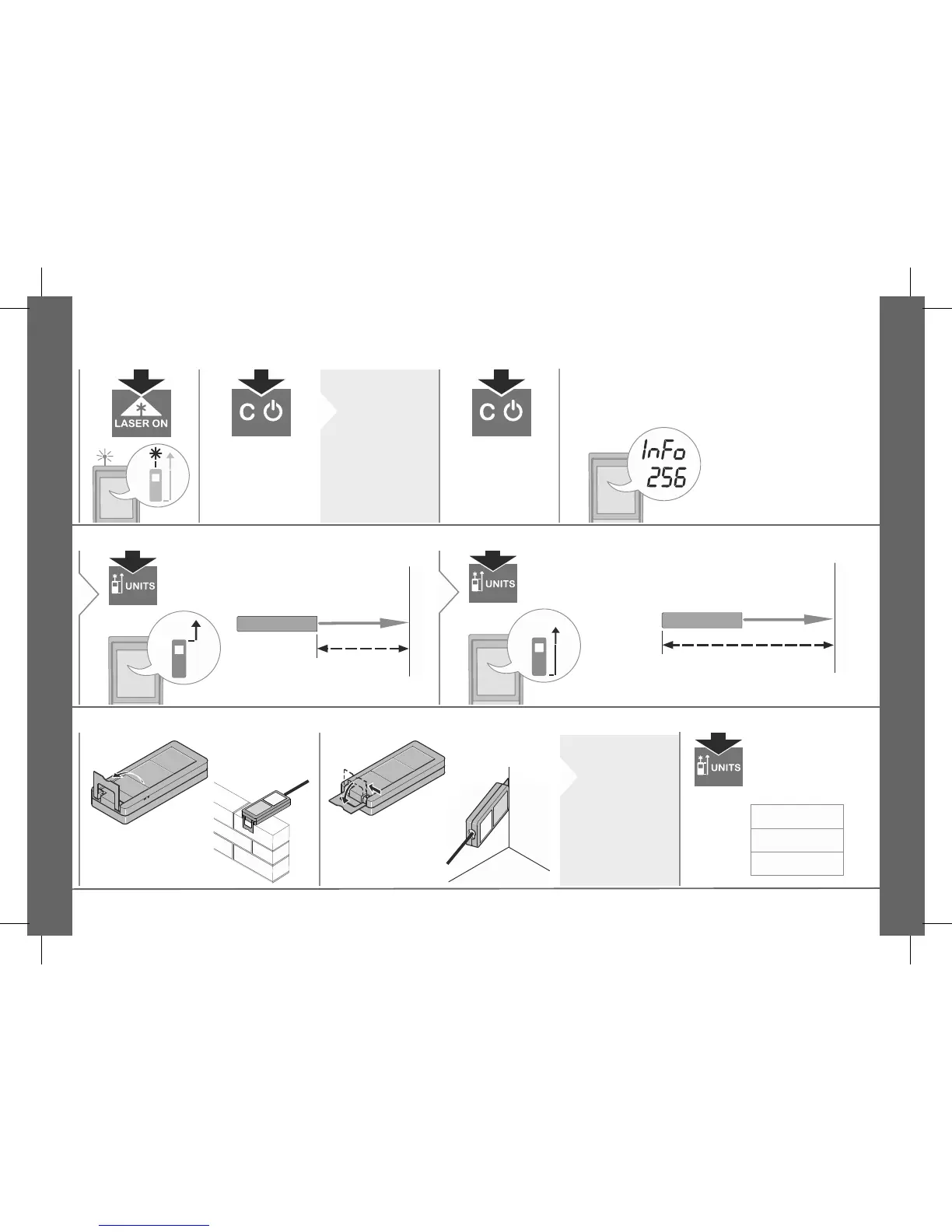
Switching ON/OFF Clear Message Codes
ON
Device is turned
OFF.
2 sec
i
If no key is
pressed for
180 sec, the
device
switches off
automatically.
Undo last action.
If the message InFo appears with a number, ob-
serve the instructions in "Message Codes" section.
Example:
Adjusting measuring reference
Distance is measured from the
front of the device.
1
Distance is measured from the rear of
the device (standard setting).
2
Multifunctional endpiece Unit setting
i
The orienta-
tion of the
endpiece is
automatically
detected and
the zero point
is adjusted
accordingly.
2 sec

Related product manuals