EasyManua.ls Logo

Price FPV8000 - User Manual

Default Icon
24 pages
Print Icon
To Next Page IconTo Next Page
Loading...
Revision #: 01 Issue Date: 03/17/17
© 2014 Price Industries Limited. All rights reserved.
MANUAL – INSTALLATION
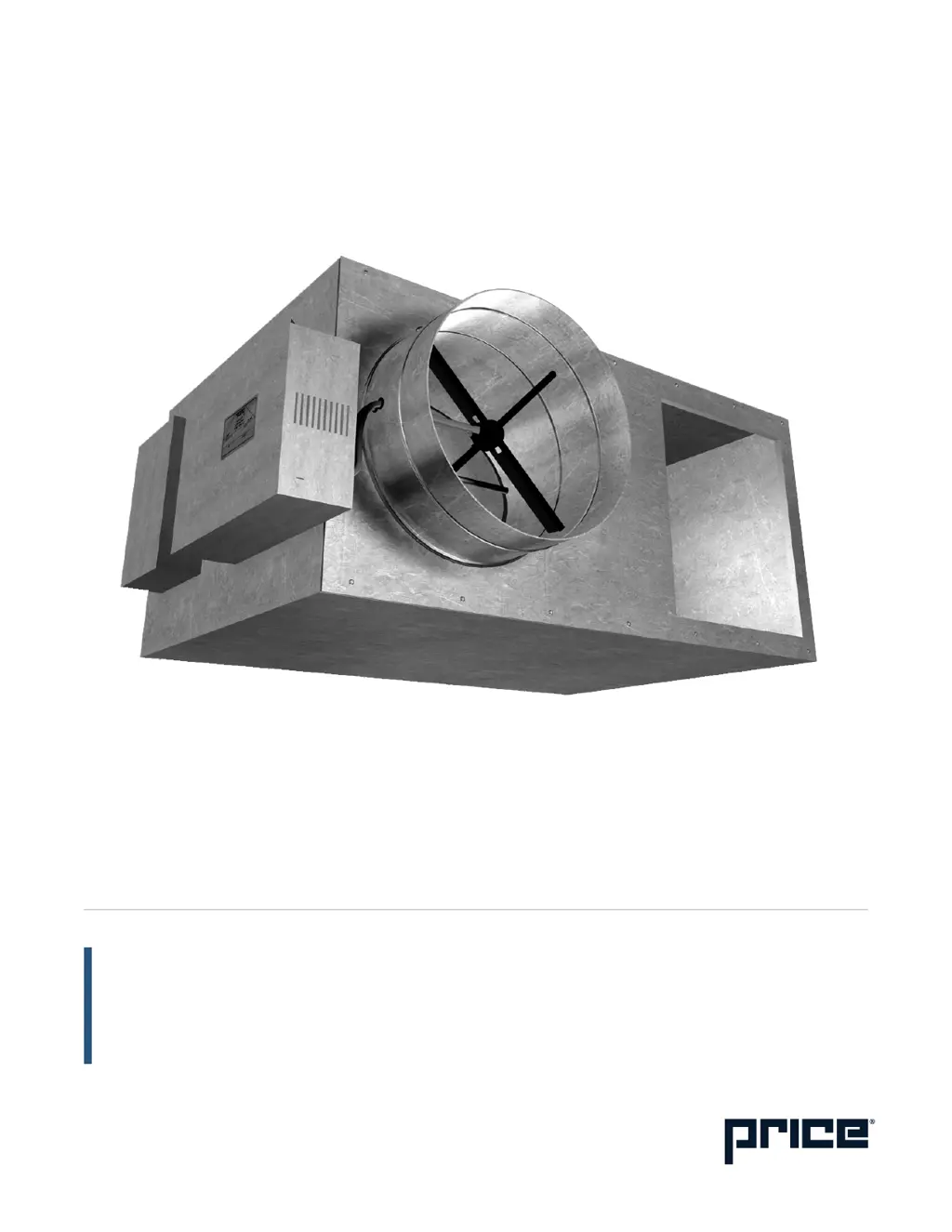
Fan Powered Variable Volume
Terminal Units
FPV, FEV, FDV Series

Questions and Answers

  • S
    sarahzimmermanJul 25, 2025
    What to do if the air volume is not as specified in Price FPV8000?
    • R
      Rebecca HebertJul 25, 2025
      To address air volume issues with your Price Touch terminals: 1. Inspect the filter for excessive dust accumulation. 2. Check the fan for any particle blockages. 3. Examine the coils for particle blockages. 4. Ensure downstream static pressure is at least 0.10 inches W.G. to prevent the fan from overheating. 5. Confirm the supply voltage matches the wiring diagram specifications, located inside the electrical enclosure or in the controls brochure. 6. Check for loose insulating duct liner. 7. Inspect for leaks or obstructions in the ductwork. 8. Ensure there are no sharp elbows near the fan outlet, and that turning vanes are properly designed.
  • W
    whitedanielleAug 1, 2025
    What to do if the fan does not operate in Price Touch terminals?
    • S
      Sarah Sharp DVMAug 1, 2025
      If the fan in your Price Touch terminals isn't working, here's what you can do: 1. Compare the unit wiring to the control and wiring diagrams located inside the electrical enclosure. 2. Make sure the disconnect switch or breaker is not open. 3. Check for the correct control signal from the thermostat, monitoring the output for full heating. 4. If the fan cycles on and off, verify that the downstream static pressure is at least 0.10 inches W.G. to prevent overheating. 5. Check if the fan wheel is touching the housing.
  • D
    Deanna RiveraAug 9, 2025
    What to do if primary air volume is not as specified in Price FPV8000 Touch terminals?
    • H
      howellkimberlyAug 9, 2025
      If the primary air volume in your Price Touch terminals isn't as specified: 1. Check the controller operation and adjust if needed. 2. Verify the thermostat sends the correct control signal by cycling the thermostat and monitoring it. 3. Inspect the damper actuator for proper operation and any leakage. 4. Ensure sufficient inlet duct static pressure is available at the terminal unit. 5. Confirm a minimum of 3 duct diameters of straight inlet duct (either sheet metal or flexible) of the same size as the inlet exist between the unit inlet and any transitions, take-offs, or fittings. Poor inlet conditions might require controller recalibration. 6. Check the flow sensor for blockages.
  • J
    John CoxAug 16, 2025
    How to reduce noise from Price Touch terminals?
    • D
      Dana KramerAug 16, 2025
      If your Price Touch terminals are generating unusual noise, consider the following: 1. Check for any foreign material in the fan. 2. Address relay chatter. 3. Ensure the fan or duct size isn't too small for the application, causing high air velocity. 4. Inspect for vibrating duct work. 5. See if an unbalanced fan wheel is hitting the housing.

Summary

Product Overview

General Product Information

Provides a general overview of the fan powered terminal units, their types, and applications.

Contractor Cautions

Highlights critical warnings for contractors regarding unit installation and operation during construction.

Receiving and Inspection Procedures

Details procedures for inspecting units upon arrival to identify and report any shipping damage.

Control Assembly Label Details

Explains the information found on the control assembly label and its importance for unit configuration.

Installation and Mounting Instructions

Unit Mounting Guidelines

Covers the essential steps and considerations for securely mounting the terminal unit in its intended location.

Duct Connection Requirements

Provides guidelines for making proper duct connections to the terminal unit, ensuring airflow efficiency and preventing leaks.

Electrical Connection Procedures

Outlines the procedures and safety precautions for making electrical connections to the terminal unit.

Control System Connections

Details the methods for connecting pneumatic and electronic control systems to the terminal unit.

Fan and Motor Maintenance

Describes routine inspection, cleaning, and servicing procedures for the fan and motor components.

Filter Maintenance

Explains the maintenance and replacement procedures for air filters supplied with the terminal units.

Operating Guidelines and Parameters

Lists important operational parameters and recommendations for safe and efficient unit performance.

Air Balancing Procedure

Details the steps involved in properly balancing airflow for the terminal unit to ensure optimal performance.

ECM Motor Speed Adjustment

Guides users on how to adjust the speed of ECM motors using a voltmeter and control settings.

ECM Speed Controller Operation

Explains the features and operation of the Deluxe and Standard ECM speed controllers for fan speed adjustment.

Fan Performance Curves - PSC Motor

Presents fan performance data, including static pressure and airflow rates for PSC motor units by size.

Fan Performance Curves - ECM Motor

Provides fan performance data for ECM motor units, detailing static pressure vs. airflow for various sizes.

Pneumatic Calibration Procedures

CP100;CP200 General Calibration

Covers general calibration steps applicable to both CP100 and CP200 pneumatic controllers.

CP100 Calibration Procedure

Details the specific calibration procedure for the CP100 pneumatic controller when it is supplied with the unit.

CP200 Calibration Procedure

Details the specific calibration procedure for the CP200 pneumatic controller when it is supplied with the unit.

CP101 General Calibration Steps

Outlines general procedures and checks before calibrating the CP101 pneumatic controller.

CP101 Specific Calibration

Provides specific steps for calibrating the CP101 pneumatic controller for damper action and set points.

Direct;Reverse Acting Heating;Cooling Calibration

Explains calibration for direct acting cooling or reverse acting heating modes using pneumatic controls.

Pneumatic Reset Span Adjustment

Describes how to adjust and verify the reset span for pneumatic controllers to ensure accurate operation.

Air Volume Limit Calibration

Details the process for setting and verifying air volume limits using calibration curves and differential pressure.

DDC Calibration Procedures Reference

Directs users to control contractor documentation for detailed DDC calibration procedures.

Analog Electronic Air Flow Adjustment

Refers to the Price Analog Controller (PAC) Manual for electronic air flow adjustment.

Digital Electronic Air Flow Adjustment

Refers to the Price Intelligent Controller (PIC) Manual for electronic air flow adjustment.

FPV, FEV, FDV Calibration Curves

Presents graphical data for calibrating airflow limits for FPV, FEV, and FDV units based on differential pressure.

Maintenance

Troubleshooting Common Issues

Offers a systematic guide to diagnose and resolve common issues encountered with the terminal units.

Replacement Parts - Motors, Controllers, Capacitors

Lists part numbers and descriptions for replacement PSC fan motors, speed controllers, and capacitors.

Replacement Parts - Blowers, Actuators, Thermostats

Lists part numbers and descriptions for replacement blowers, controllers, actuators, and thermostats.

Replacement Filter Information

Provides a cross-reference of filter sizes, MERV ratings, and corresponding part numbers for replacement.

Price FPV8000 Specifications

General IconGeneral
Display Size8 inches
Touch TechnologyCapacitive
RAM2 GB
Operating SystemAndroid
ConnectivityWi-Fi, Bluetooth
DisplayLCD

Related product manuals