SC7132 27
EN
Any electromechanical device occasionally requires some troubleshooting. However, most of the problems that
may arise can usually be solved with a bit of thought and common sense. Many of these problems occur because
the batteries are not fully charged or because the batteries are worn down and can no longer hold a charge.
DIAGNOSTIC CODES
The diagnostic codes for your Scooter are designed to help you perform basic troubleshooting quickly and easily.
A diagnostic code will sound and/or fl ash in the event one of the conditions listed below develops. Depending on
the model you own, your Scooter will communicate by one of the coding methods as follows:
1. A diagnostic code will begin, depending on model, with a series of fast beeps and/or fl ashes directly followed
by slower beeps and/or fl ashes which indicates the actual code. The code is only beeped and/or blinked once.
To repeat the diagnostic code, remove the key, then reinsert it and turn it to the “on” position, OR
2. A diagnostic code will identify the condition, pause, then repeat the code. The diagnostic code will continue
to alert you in this manner until the scooter is turned off .
NOTE: Your scooter will not run unless the code condition is resolved and the scooter has been turned off , then
turned back on.
FAULT CODE CONDITION SOLUTION
■
(1)
Battery charge is low. Charge batteries as soon as possible.
■■
(2)
Battery charge is too low. Charge batteries.
■■■
(3)
The scooter’s battery voltage is too high to
operate the scooter, or the charger is still
connected to the off -board charger port.
Unplug charger and/or turn key off , then back
on again.
■■■■
(4)
Current limit time out. Turn the scooter off for a few minutes, then turn
your scooter back on.
■■■■■
(5)
The manual freewheel lever is in the (forward)
freewheel position.
Remove the key from the key switch, then
push the manual freewheel lever to the drive
(rearward) position and restart your scooter.
■■■■■■
(6)
Throttle control lever not at center position at
start-up.
Verify that the batteries are fully charged. If
the batteries are fully charged, then return the
throttle control lever to center position, turn
scooter off then back on.
■■■■■■■
(7)
Speed pot error. Contact your authorized Provider for assistance.
■■■■■■■■
(8)
Motor volts error. Contact your authorized Provider for assistance.
■■■■■■■■■
(9)
Other internal errors. Contact your authorized Provider for assistance.
VI. BASIC TROUBLESHOOTING
What if all the systems on my scooter seem to be dead?
Make certain that the key is in the “on” position.
Check that the batteries are fully charged.
Push in the main circuit breaker reset button. See II. “Your Scooter.”
Make certain that both battery harnesses and the front-to-rear harness are fi rmly connected.
Be sure the power down timer feature has not been activated. See IV. “Operation.”
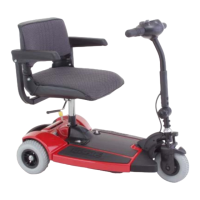
Figure 18. Models with Tiller Console



 To Next Page