(Only for Bottom Main Oven)
18
19
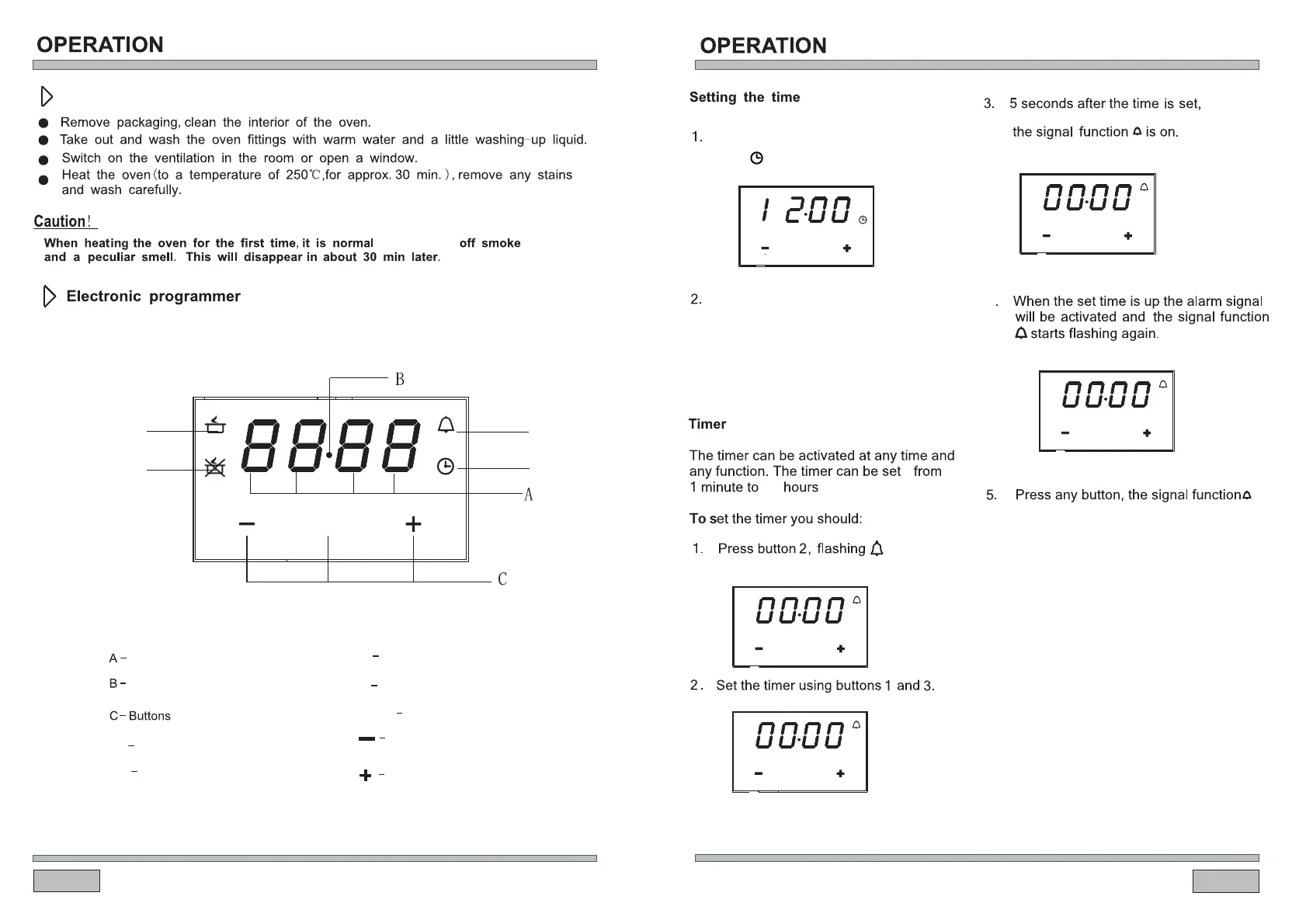
To decrease the numbers
on the digital display
To increase the numbers
on the digital display
Display field
Seconds Icon
MODE
Function
Button1
Button3
MODE
Button2
D
E
F
G
Timer
Cooking time
Current time
End of cooking time
D
E
F
G
At power on, “12.00",
and flashes.
displays
.Enter the
timer setting.
or
directly press button 2,
The current time can be set with
button 1 and 3, 5 secondsafter the
time has been set ,the new data
will be saved .
23 and 59 minutes.
Your setting is saved.
and alarm signal will go off. Or
signal will be turned off automatically
after 2 minutes.
the
alarm
1 2 3
4
MODE
MODE
1 2 3
MODE
1 2 3
MODE
1 2 3
MODE
1 2 3
for it to give
Prior to first use



 To Next Page