!
7"
EvoLution"Series"
"
"
"
"
Remote&Control&
&
&
&
&
&
&
&
"
"
Atten tion !"Due"to"increasingly"stringent"safety""
measures,"it"can"happen"that"the"remote"control"
arrives"without"batteries"installed."
"
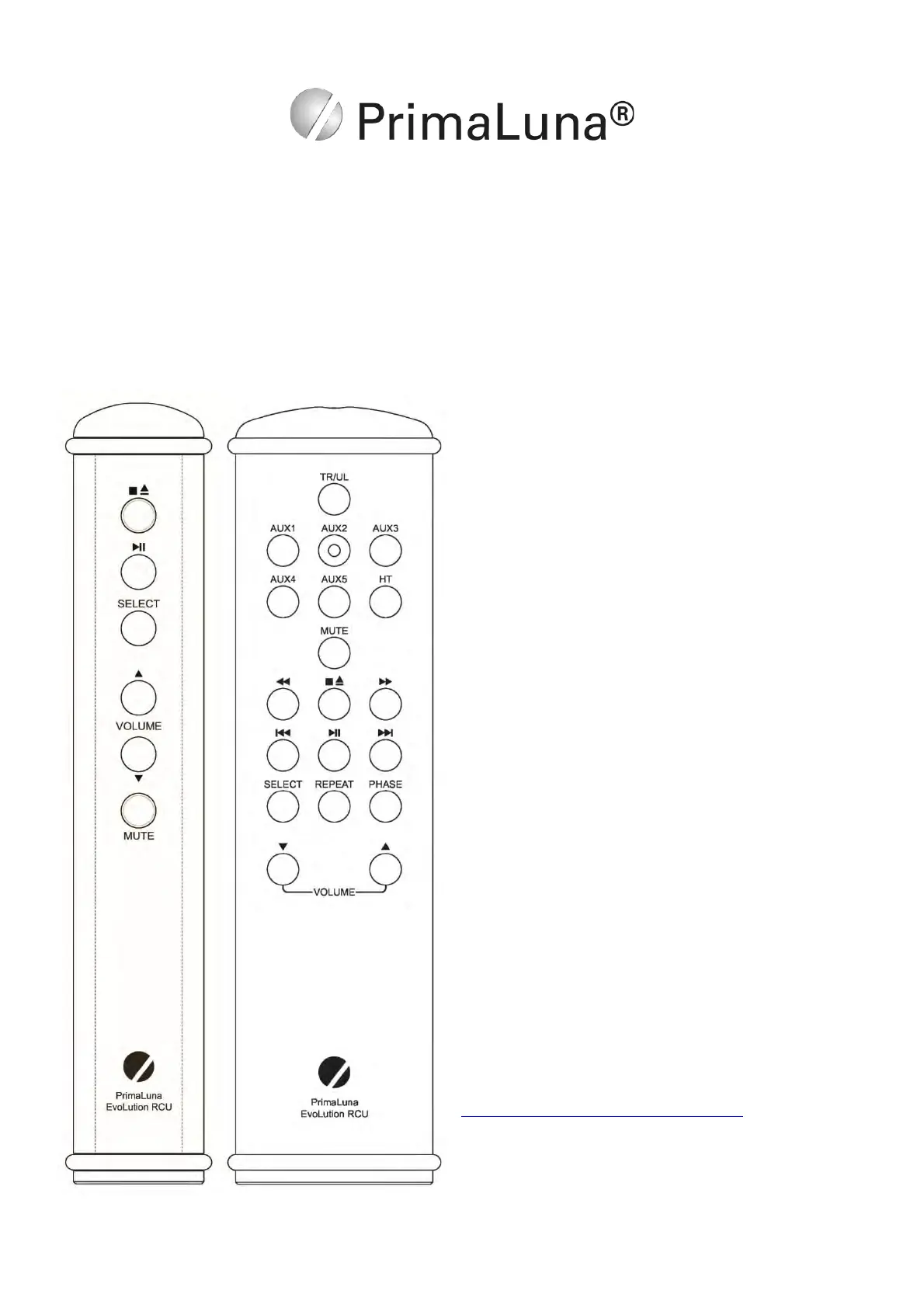
The"functions"of"the"EVO"Tube"Integrated"Amplifier"
Remote"Controls"are"selfFexplanatory."It"controls"
source"selection,"volume"&"mute"functions."The"
remote"w ill"also"co n trol"the "ba sic"fun ction s"o f"the "
PrimaLuna"CD"players."
"
The"EVO"Tube"Integrated"Amplifier"Remote"
Controls"have"two "h ig hFquality"silicon"rubber"rings"
on"each"end"to"protect"it"from"becoming"damaged"or"
damaging"your"furniture."These"rings"can"be"easily"
remove d"in"c as e"b atterie s"ha ve "to"b e"re pla ced."
"
In"the"e ve n t"y o u r"re mote"co n tro l"d o e s "n o t"fu n c tion ,"
please"first"check"the"battery/batteries."T o "a c ce s s "
the"ba ttery"compartment,"remove"the"rubber"rings"
and"unscrew"the"back"plate."
"
Do"NOT"use"rechargeable"batteries!"
"
You"can"also"check"your"remote"here:"
https://primalunablog.com/?s=remote"
""
If"the"rem o te "s till"does"not"function,"contact"your"
dealer"for"further"assistance.&



 To Next Page