12
“D:\”), change the “A” in the white box to the correct letter.
5. Once the date/time data is correct and you’ve selected your SD
card location, click OK to save the text le.
6. Remove the SD card (eject it rst if necessary) and insert it into
your BULLET PROOF Game Camera (label side up as previously
described). The date and time data will be automatically loaded
into the camera, and the text le (txt) will be deleted. It is
important to get the card from computer to camera as soon
as possible to ensure the initial time is still accurate.
Note for Mac (OSX) users: although the Timetool software is Windows
only, you can create a compatible le using any application that supports
plain text les (.txt format). Using this app, type the current date and
time using this format: “TIME”YYYYMMDDHHMM (Include the word “TIME”
with quote marks. Do not add spaces, hyphens or slashes). For example,
“TIME”201407171038 represents July 17th, 2014 at 10:38 AM. Save this as
a .txt le to your SD card, naming the le “TIMESYNC”.
POWER ON
After inserting batteries and an SD card (w/date & time le at your option),
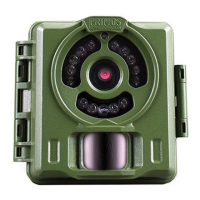
slide the power switch to the On position. The PIR indicator (red LED) is
used to warn of problems with the SD card or battery.
• If the red light ashes rapidly for 10 seconds, there is a problem with
the SD card. Check the card (make sure it’s inserted correctly and
protect switch is not locked) or try a dierent card.
• If the red light stays on for 20 seconds, the battery level is low-insert
fresh batteries.
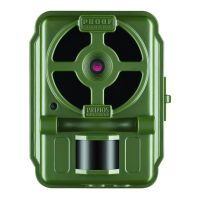
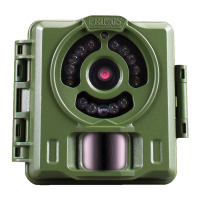
To capture photos of activity in the area you choose to locate your Primos
BULLET PROOF Game Camera, follow the steps listed below in “SET UP”:
SET UP
1. Mount the Camera
It is recommended that you mount the camera about 3 or 4 feet (0.9~1.2
meters) o the ground, with the camera pointed at a slight downward
angle. It’s best to avoid mounting the camera facing east or west as the
rising and setting of the sun could produce false triggers and overexposed


 To Next Page