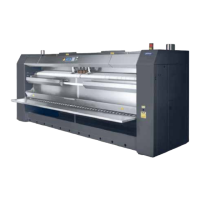
This document serves as a programming manual for Primus ironing machines, specifically models I35/50, IF50, and IR50. It covers machines with insertion widths of 1400/1600/2000/2500/3200 mm, as well as those with front/rear delivery, with or without a folder, and insertion widths of 2000/2500/3200 mm. The manual is applicable for software version 1.30 and higher.
General Function Description
The control system of these ironing machines allows for comprehensive operation and monitoring. It enables the creation and saving of programs, simple control via buttons, and the display of error messages. For OPL (On-Premise Laundry) versions, users can create up to 20 programs (numbered 1-20), each combining settings for temperature, speed, and cloth delivery direction. For ironers with front/rear delivery and a folder, folding parameters can also be adjusted. A default program (program 0) is pre-saved with fixed settings (80°C, 4 m/min) and cannot be altered. Coin meter versions allow machine operation via a coin automat, with adjustable coin values and a minimal start price.
During ironing or folding, the display provides crucial information such as the selected program, required and actual temperature, ironing speed in m/min, and for folder-equipped ironers, the number of folds or fold width. Light indicators (LEDs) next to individual buttons show the machine's status (in operation, cooling down) and which parameter is currently displayed. For folder-equipped machines, the state of folding and the delivery direction of finished linen are also indicated. Coin meter versions display the remaining paid time in minutes, with a blinking decimal point when the machine is operating.
Usage Features
Starting and Stopping:
The "START" button initiates all motors, heating, and for machines with a pedal and clutch, the feeding table. An LED next to this button indicates machine operation. For coin meter versions, the machine starts after the minimal necessary ironing time has been paid. The "STOP" button halts feeding belts, turns off heating, and decelerates the ironing roller to a minimal speed (to prevent damage or fire). Paid ironing time deduction is not interrupted during a stop. Normal operation can be resumed with the "Start" button. Both "START" and "STOP" buttons also confirm (delete) error messages and silence the siren for 30 seconds.
Program Selection:
The program selection button allows users to cycle through programs 1 to 20. Program 0 is accessible only after switching the machine on. Programs can also be selected using the "+" and "-" buttons. Once a program is selected, its parameters (fold width, number of folds, temperature, speed) are displayed sequentially for 2 seconds each.
Parameter Adjustment (OPL Version):
To change program parameters (speed, temperature, folding settings), press the corresponding button. The LED next to the button will light up, enabling adjustment with the "+" and "-" buttons. A long press (2 seconds) on a parameter button activates editing mode, causing the display to blink. After setting the desired value, a short press of the same button confirms it. Speed and program number can be changed directly without confirmation. Changes made without saving are temporary and revert to original values upon machine power-off. To save changes permanently, the programming switch must be enabled, and the "PROGRAM SAVING" button must be long-pressed.
Reverse Operation:
Pressing the "REVERSE OPERATION" button during machine operation stops the ironer. If pressed when the machine is not running, it initiates reverse operation for a period that covers approximately 500 mm of roller circuit, at the same speed as forward operation. The machine then stops, allowing for another reverse operation or normal start. An LED indicates active reverse operation.
Automatic Finishing of Ironing (Cooling Down):
The ironer features an automatic "cooling down" function, stopping the machine when the ironing roller temperature drops below 80°C. This function is activated by pressing its dedicated button, indicated by a blinking LED. While active, ironing can continue, but heating is off. The function can be canceled by pressing the "Start" button, which restarts heating. This button also confirms error messages and silences the siren.
Temperature Control:
When the "Temperature" button is active, the actual ironing roller temperature is displayed. A short press shows the required temperature for 3 seconds (indicated by a dot). A long press (2 seconds) activates editing mode, allowing temperature adjustment in 5°C steps within a 0-180°C range.
Speed Control:
When the "Speed" button is active, the actual ironing roller speed is displayed. Speed can be changed in 0.5 m/min steps within a 1.5-8 m/min range using the "+" and "-" buttons. There is no separate editing mode for speed.
Folding Modes (Front/Rear Delivery with Folder):
The machine offers two folding modes: by required number of folds or by required fold width. The active mode is determined by the parameter with a non-zero value. Setting one parameter to a non-zero value automatically resets the other to zero. If both are zero, folding is not executed.
- Number of Folds: If fold width is 0 cm and the number of folds is non-zero, the machine folds according to the specified number of parts (e.g., 4 parts for quarters). The machine can also automatically determine the number of folds to achieve a fold width close to 35 cm ("auto" setting). This mode is suitable for sheets of identical size.
- Width of Fold: If a non-zero fold width is set, the machine folds to that preset width (e.g., 35 cm), regardless of the linen's total length. This mode is convenient for bed linen. Fold width can be adjusted in 1 cm steps from 28-40 cm, with 0 cm disabling folding.
- Folding Yes/No: This button toggles the folding function on or off, even for programs with preset folding. An LED indicates when folding is ON.
Direction of Delivery:
The "DIRECTION OF DELIVERY" button changes the output direction of linen (forward/backward), with an LED indicating the chosen direction. This applies to ironers with front/rear delivery, with or without a folder.
Initialization:
Initialization allows setting heating type, ironer parameters, control type (OPL/coin meter), coin meter pricing, and viewing operation hours. This is typically done at the factory but may be needed for control board replacement or coin meter time settings. To enter initialization, switch off the machine, enable programming (OPL version), hold the "PROGRAM SAVING" button, and switch the machine on. Parameters are changed with "+" and "-" buttons, and "Start" moves to the next parameter.
Maintenance Features
Warnings and Safety:
The manual emphasizes reading it carefully to prevent injuries, damage to electronic components, or the machine itself. Operations requiring machine opening must be performed by qualified workers ensuring safety. After such operations, the machine must be returned to its original condition.
Error Messages and Troubleshooting:
The control system continuously monitors the ironer and automatically enters a safety state if a failure occurs. The manual provides a table of error codes, messages, and troubleshooting steps. Error messages are displayed, and a siren may sound discontinuously. Messages can be cleared by pressing the automatic finishing of ironing button.
This menu allows viewing and changing the state of individual inputs and outputs of the control unit. Access is gained by setting "dG" to "On" during initialization and confirming with "START". Users can navigate items with "+" and "-" and change output states by holding "START". This feature is crucial for diagnosing electrical and mechanical issues.
Specific Error Explanations:
The manual provides detailed explanations for various error codes, including:
- Error 1 (Temperature > 200°C): Indicates overheating, with a safety thermostat disconnecting heating at 210°C. Troubleshooting involves cooling the machine or professional servicing.
- Error 2 (Temperature > 80°C and Roller Not Rotating): Warns of potential belt burning if the roller stops while hot. Solutions involve restarting normal operation or repairing the drive.
- Error 3 (Overloading of Ventilator(s) Motor(s)): Points to issues with exhaust ventilators, possibly due to mechanical failure or a clogged pipeline.
- Errors 4 & 5 (Short Circuit / Interruption of Temperature Sensor): Requires changing the temperature sensor as repair is not possible.
- Error 6 (Failure of Drive): Evaluated from the frequency inverter signal. Troubleshooting involves restarting the machine or consulting inverter instructions.
- Error 7 (Under Pressure Switches Off - Gas Heating Only): Indicates issues with combustion gas exhaust, potentially due to clogged pipelines or a non-rotating ventilator.
- Error 8 (Failure of Burner Ignition - Gas Heating Only): Covers problems with gas supply, defective valves, mixer function, or ignition electrodes.
- Error 9 (Crank for Manual Rotation Pushed): A safety switch stops the ironer if the manual crank is pushed during operation.
- Error 10 (Trough Lifted Up - Front/Rear Delivery Only): Monitors trough position to prevent access during operation. If lifted, the machine enters a safety state.
- Error 11 (Failure of Underpressure Switches): Checks the correct function of underpressure switches during machine startup and operation.
- Error 12 (Wrong Function of Safety Bar): The machine checks the safety bar function on startup. A malfunction blocks control.
- Error 13 (Defective Speed Sensor): Checks the speed sensor during operation. Troubleshooting involves adjusting or replacing the sensor.
Important Note: Technical repairs should only be performed by qualified technicians. The manual also includes a section for recording machine type, controllers, installation details, serial number, and electrical specifications, emphasizing the importance of this information for dealer contacts and future reference.



 To Next Page
 General