parents can master if the child’s activities is normal or not.
8. Change password
Initial password is 123456. Password can be changed in order to protect the child’s activities
information.
9. Logout
Click this menu to logout the APP
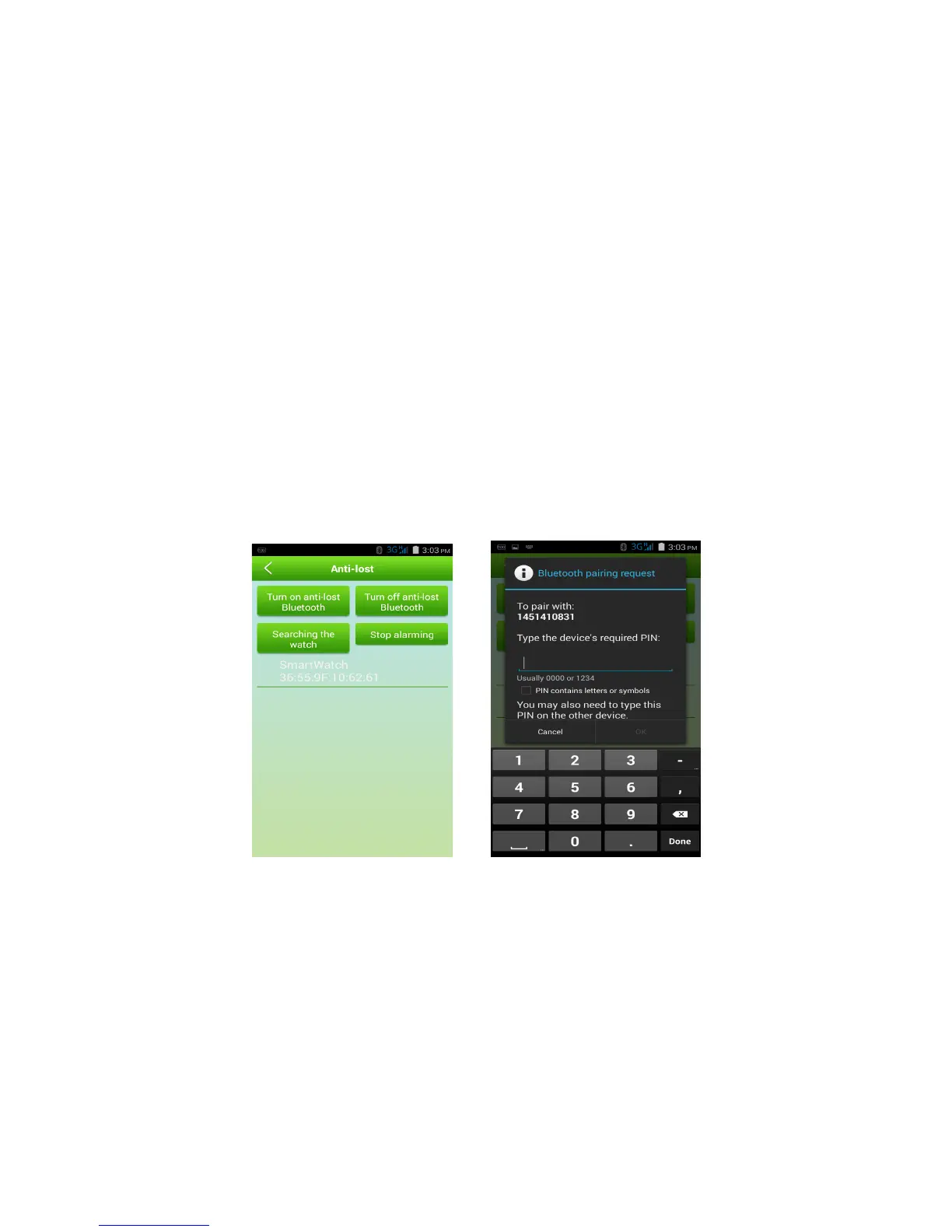
10. Anti-lost (This function supports Android system only, can’t support IOS system. )
Watch can be connected to smart phone by Bluetooth. If watch get far away, alarm message will
be sent to APP. The alarm can be stopped and the anti-lost function can be shutdown according to
click the alarm notice.
Operating steps as follows:
(1) Open Bluetooth on smart phone and turn on anti-lost in APP.
(2) Search watch
(3) Choose the watch’s ID No.( The Bluetooth name is same as watch’s ID No.)
(4) Pairing code is 1234.
5) If pairing is successful, Watch will prompt that Bluetooth connected, APP terminal will alarm.
6) If Bluetooth is disconnected, watch will prompt that Bluetooth disconnected, APP terminal will
get alarm message and alarm at the same time.
iii. Settings instruction
In the settings options, the relevant terminal information, parameters and functions can be set, as
shown below:


 To Next Page
 Loading...