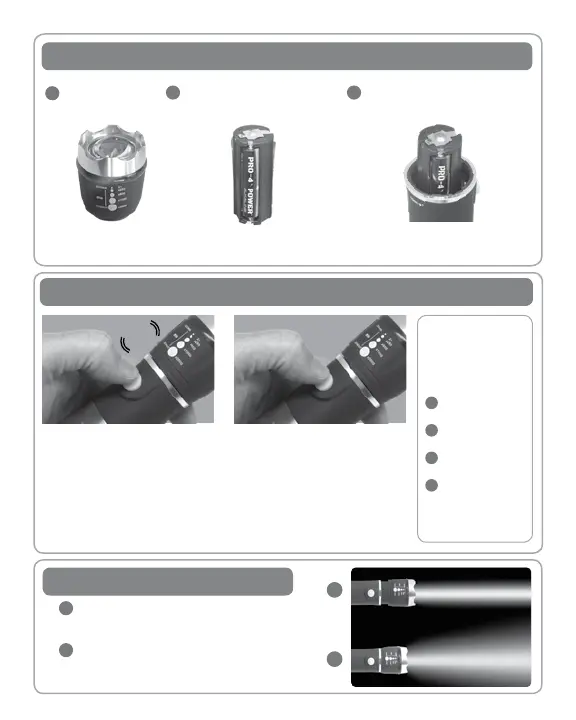
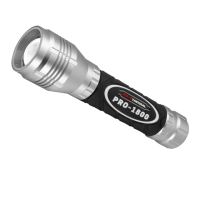
Unscrew Flashlight head.
Remove battery pack
Insert battery pack into ashlight with positive
(+) end exposed. Replace Flashlight head
Insert 3 AAA batteries according to polarity
(+/-) as indicated on battery pack
Installing 3 AAA Alkaline Batteries
1
2
3
FRESH ALKALINE BATTERIES ARE STRONGLY RECOMMENDED.
DO NOT MIX OLD AND NEW, OR DIFFERENT TYPES OF BATTERIES
Turning ON / OFF - Switching Light Modes
To turn ashlight ON / OFF, rmly press the
ON / OFF button. You will hear a “click,”
and the light will turn ON. Firmly press
again, and the ashlight will turn OFF.
Note: The next time the button is pressed,
the light will advance to the next mode.
CLICK
To cycle through light modes (without
turning the ashlight o), press button in
halfway. The button will not click, and the
light will advance to the next mode.
4 LIGHT MODES:
High Power Light
Medium Power Light
Low Power Light
Flashing Red Hazard
1
2
3
4
Zoom In For a long, narrow, focused light beam, push
Flashlight head to the front end of Flashlight, as shown
Zoom Out For a broader light beam, push Flashlight
head toward the back end of the Flashlight, as shown
1
1
2
2
Zoom In / Out


 To Next Page