5
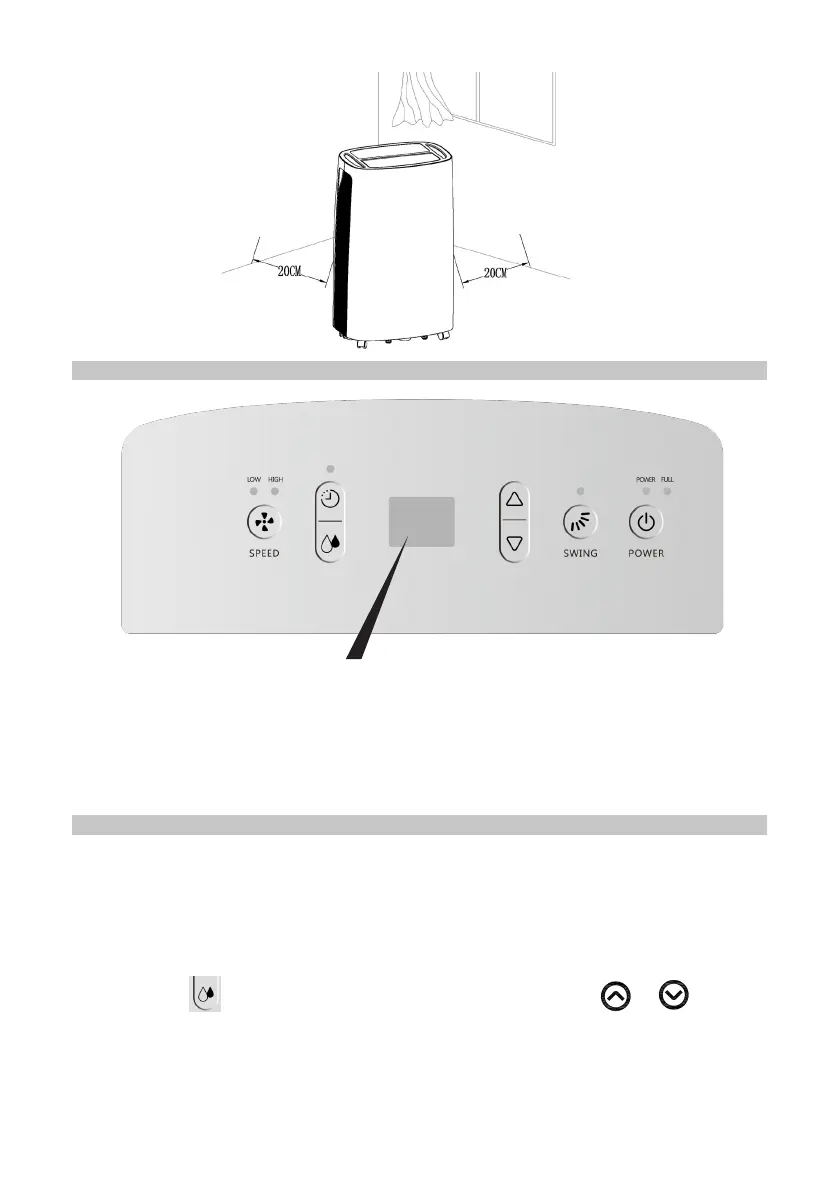
CONTROL PANEL
The LED indicator display features the following functions:
1. When the unit is plugged in, it will indicate the room humidity level.
2. If you set the humidity desired, it will indicate the humidity that you have selected
3. When you program the time for the unit to turn on and off, it will show the hours.
4. When the environment humidity is lower than 35%, it will show “35”
5. When the environment humidity is higher than 95%, it will show “95”
OPERATION
• The buzzer will sound several times when the unit is powered on, and the LED
display will show the room humidity for 3 seconds.
• Press the power button to start the unit, and press again to shut down.
Humidity Setting
• Press the
key to enter humidity setting mode, then press
or
to adjust
the humidity from 40% to 80%, in 5% increments indicated on the display.
• After 5 seconds, it will return to normal display.
• The default value of humidity is 55%.
• When the unit is running in a room temperature between 5
o
and 20
o
, it will stop
periodically to defrost.


 To Next Page