6
Fan Speed Setting
• Press the to set the fan speed to high or low, and the corresponding fan
speed LED will illuminate.
Swing setting
• After the machine is started, press to start or stop the air-outlet deector
swing movement.
Time-setting
• Press
to enter startup-time setting mode when the unit is powered off, then
the LED will display the time, pressing
or
to adjust the automatic start
time from 1 to 24 hours.
• Press to enter shut down time setting mode when the unit is operating, then
the LED will display the time, pressing
or
to adjust the automatic stop
time from 1 to 24 hours .
• If the unit is turned on or off manually, or the water tank full condition occurs during
use, the timer function will be over-ridden.
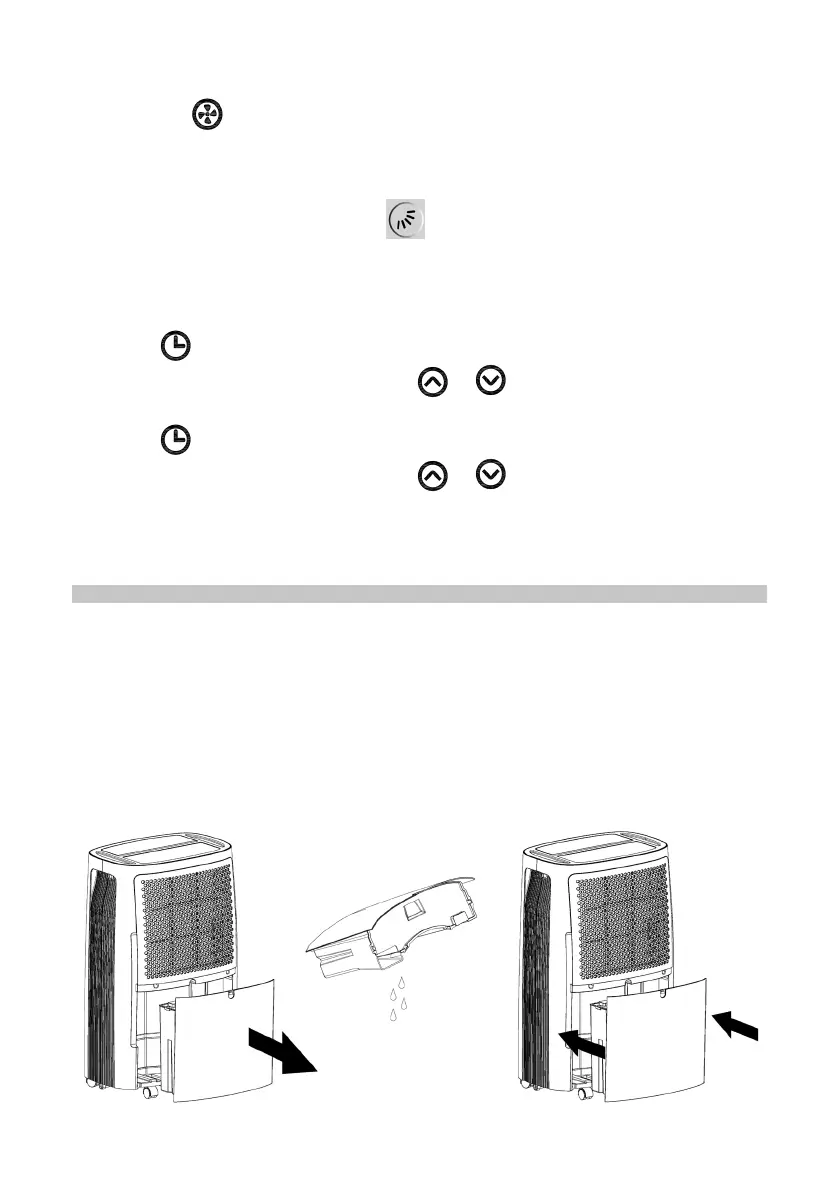
WATER DRAINAGE
• The dehumidier has an internal water tank to collect water that accumulates
during the cooling process. This tank will need to be emptied periodically.
• When the internal water tank is full the unit will go into standby mode and the
buzzer will sound 15 times.
• The water tank will need to be emptied before normal operation can be resumed.
• Lightly press on the sides of the tank with both hands and pull the tank out gently.
• Discard the collected water.
• Replace the drainage tank by pressing it into place rmly on both sides, and when
correctly positioned, normal operation can resume.


 To Next Page