EasyManua.ls Logo

Pro-face CA3-USBCB-01 - User Manual

Pro-face CA3-USBCB-01
5 pages
Print Icon
To Next Page IconTo Next Page
Loading...
1
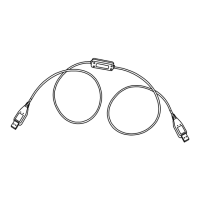
USB Data Transfer Cable
CA3-USBCB-01
Installation Guide
Indicates situations that may result in major machine dam-
age, severe bodily injury, or death if the instructions are not
followed.
Safety Precautions
This guide contains a variety of safety markings related to the safe and correct opera-
tion of the USB Data Transfer Cable. Be sure to read this guide and any related manu-
als carefully to fully understand how to correctly use this cable.
Safety Symbol
This guide uses the following safety-related symbol. Please pay attention to this sym-
bol and follow the instructions given.
Do not disassemble or remodel this cable in any way. Doing so may cause an electric
shock or fire.
Do not use this cable in areas where flammable gases are present. Doing so may cause
an explosion.
To Prevent USB Data Transfer Cable Damage
Do not use the USB Data Transfer Cable at temperatures outside the range specified
in this guide.
Do not use or store this cable at very high temperatures.
Do not use or store this cable in direct sunlight or excessively dusty or dirty environ-
ments.
Do not use or store this cable in an environment where it may be exposed to chemical
vapors or fumes.

Questions and Answers

  • M
    Mr. Glenn GarnerAug 2, 2025
    What to do if unable to use Pro-face USB Data Transfer Cable after connecting it to a USB hub?
    • D
      Dawn PatelAug 2, 2025
      If you are unable to use the Pro-face USB Data Transfer Cable after connecting it to a USB hub, the power supplied from the hub may be insufficient. Check that the hub is self-powered. Alternatively, connect the USB Data Transfer Cable directly to the USB port. Also, confirm that the USB Data Transfer Cable conforms to USB Specification Rev. 1.1 or later.
  • C
    Christopher DixonAug 17, 2025
    How to fix '?' displayed for Pro-face cable status in Device Manager after installation?
    • A
      Andrew YangAug 18, 2025
      If a '?' is displayed when confirming the Pro-face cable’s status via the Device Manager after installation, it means that the driver has not been installed correctly. Uninstall the driver and then re-install it.

Summary

Safety Precautions

Safety Symbol Identification

Explains the meaning and importance of safety symbols used in the manual.

Critical Warning Information

Highlights severe risks and consequences of not following safety instructions.

Cable Damage Prevention Tips

Provides essential guidelines to prevent physical damage to the USB data transfer cable.

Package Contents Overview

Included Components

Lists the USB Data Transfer Cable and the Installation Guide included in the package.

Compatible Operating Systems

Supported Products

Product Specifications

General and Connector Specs

Details interface type (USB Rev1.1) and connector type (USB A Plug).

Electrical Characteristics

Specifies the rated voltage and power consumption of the cable.

Environmental Operating Conditions

Defines ambient and storage temperature and humidity limits.

Physical and Cable Dimensions

Provides weight and cable length specifications.

Installation Guide

Troubleshooting Common Issues

Pro-face CA3-USBCB-01 Specifications

General IconGeneral
CategoryCables and connectors
ModelCA3-USBCB-01
TypeUSB cable
Power DeliveryNo
Connector AUSB Type A
Connector BUSB Type B
Data Transfer RateUSB 2.0 (480 Mbps)
Compatible DevicesPro-face HMI devices
UsageData transfer