
 Need help?
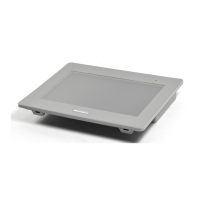
Do you have a question about the Pro-face PFXGP4402WADW and is the answer not in the manual?
Explains safety alert symbols like DANGER, WARNING, CAUTION, and NOTICE for hazard identification.
Specifies requirements for qualified personnel and safe operation to prevent injury or damage.
Identifies and describes the functions of various parts on the front and rear views of the panels.
Details power supply, physical, mechanical, and structural specifications, including operating conditions.
Covers display characteristics, resolution, backlight, and brightness.
Describes the RS-232C serial interface, including pinout and transmission parameters.
Describes the RS-422/485 serial interface, including pinout and transmission parameters.
Details USB Type A and mini-B interface specifications for peripherals and application download.
Describes Ethernet port characteristics, pin assignment, and status LEDs.
 General
| Type | Touch Panel |
|---|---|
| Model | PFXGP4402WADW |
| Display Type | TFT LCD |
| Backlight | LED |
| Power Supply | 24 VDC |
| Storage Temperature | -20 to 60 °C |
| Protection Rating | IP65 |
| Touch Panel Type | Resistive |
| Brightness | 300 cd/m² |
| Serial Interface | RS-232C |
| Ethernet | 10/100BASE-TX |
| USB | USB 2.0 |
| Operating Temperature | 0°C to 50°C |


 To Next Page