To Next Page
C
Christie CoxAug 8, 2025
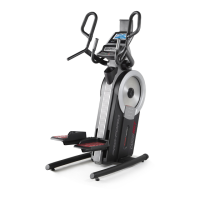
What to do if the pedals slip on Pro-Form Stepper Machine?
- MmarykhanAug 8, 2025
If the pedals slip while you are pedaling, tighten the lower Adjustment Screw (A) four turns. This will tighten the Large Drive Belt (31).

What to do if the pedals slip on Pro-Form Stepper Machine?
If the pedals slip while you are pedaling, tighten the lower Adjustment Screw (A) four turns. This will tighten the Large Drive Belt (31).
What to do if the tablet holder does not stay in place on Pro-Form Stepper Machine?
If the tablet holder does not stay in place, rotate the tablet holder backward and tighten the screw (A) until the tablet holder stays in the desired position.
Lists critical safety instructions and user responsibilities before and during use.
Introduces the trainer and outlines initial steps before use.
Step-by-step guide to assemble the cardio trainer.
General guidance on operating, plugging in, and moving the equipment.
Detailed instructions for mounting, pedaling, and dismounting safely.
Overview of the console layout and its main functionalities.
How to use the console in manual mode, including resistance and display info.
Guide on selecting and performing pre-programmed workouts.
Steps to establish a Bluetooth connection with a tablet.
 General
| Brand | Pro-Form |
|---|---|
| Model | PFEL09915.4 |
| Category | Stepper Machine |
| Language | English |