EasyManua.ls Logo

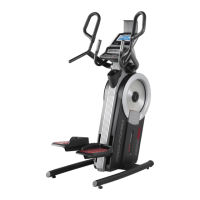
Pro-Form PFEVEL71216.0 - User Manual

Pro-Form PFEVEL71216.0
32 pages
Print Icon
To Next Page IconTo Next Page
Loading...
USER’S MANUAL
Serial
Number
Decal
CAUTION
Read all precautions and
instructions in this manual before
using this equipment. Keep this
manual for future reference.
Model No. PFEVEL71216.0
Serial No.
Write the serial number in the space
above for reference.
CUSTOMER SERVICE
UNITED KINGDOM
Call: 0330 123 1045
From Ireland: 053 92 36102
Website: www.iconsupport.eu
E-mail: csuk@iconeurope.com
Write:
ICON Health & Fitness, Ltd.
Unit 1D, The Gateway
Fryers Way, Silkwood Park
OSSETT
WF5 9TJ
UNITED KINGDOM
AUSTRALIA
Call: 1800 993 770
E-mail: australiacc@iconfitness.com
Write:
ICON Health & Fitness
PO Box 635
WINSTON HILLS NSW 2153
AUSTRALIA
www.iconeurope.com

Questions and Answers

  • J
    John MarshAug 6, 2025
    Why do the pedals slip on my Pro-Form Stepper Machine?
    • Y
      Yolanda ChristensenAug 6, 2025
      If the pedals slip while you're using your Pro-Form Stepper Machine, it might be because the drive belts need adjustment. Try tightening the lower Adjustment Screw four turns to tighten the Large Drive Belt.
  • P
    perezrebeccaAug 14, 2025
    What to do if the console does not display correct feedback on Pro-Form Stepper Machine?
    • M
      Melissa MccoyAug 14, 2025
      If the console on your Pro-Form Stepper Machine isn't displaying correct feedback, you may need to adjust the reed switch. Also, make sure the power adapter is plugged in and turn the Large Pulley for a moment.
  • C
    Charlotte PriceAug 21, 2025
    How to turn on Pro-Form Stepper Machine if the console doesn't turn on?
    • M
      Michael DiazAug 21, 2025
      If the console on your Pro-Form Stepper Machine doesn't turn on, ensure the power adapter is fully plugged in. If it still doesn't turn on, turn the Large Pulley until a Pulley Magnet is aligned with the Reed Switch.
  • C
    Cheryl FosterAug 28, 2025
    What to do if Pro-Form PFEVEL71216.0 Stepper Machine console does not display heart rate?
    • I
      Isabella SpencerAug 28, 2025
      If the console of your Pro-Form Stepper Machine isn't displaying your heart rate when you hold the handgrip heart rate monitor, loosen the M4 x 19mm Screw, slide the Reed Switch slightly closer to or away from the Pulley Magnet, and then retighten the Screw.

Summary

WARNING DECAL PLACEMENT

IMPORTANT PRECAUTIONS

BEFORE YOU BEGIN

PART IDENTIFICATION CHART

ASSEMBLY

HOW TO USE THE TRAINER

HOW TO PLUG IN THE POWER ADAPTER

Instructions for connecting the power adapter to the trainer and outlet.

HOW TO MOVE THE TRAINER

Guidance on safely moving the trainer with assistance.

HOW TO EXERCISE ON THE TRAINER

HOW TO LEVEL THE TRAINER

Steps to adjust leveling feet to ensure trainer stability on uneven surfaces.

HOW TO USE THE TABLET HOLDER

Instructions for inserting, securing, and adjusting a tablet in the holder.

FEATURES OF THE CONSOLE

HOW TO USE THE MANUAL MODE

MEASURE YOUR HEART RATE

HOW TO USE AN ONBOARD WORKOUT

HOW TO USE THE SOUND SYSTEM

THE OPTIONAL CHEST HEART RATE MONITOR

Information on the benefits and use of an optional chest heart rate monitor.

HOW TO CONNECT YOUR SMART DEVICE

HOW TO CONNECT YOUR HEART RATE MONITOR

Instructions for pairing a compatible Bluetooth heart rate monitor with the console.

HOW TO CHANGE CONSOLE SETTINGS

MAINTENANCE AND TROUBLESHOOTING

CONSOLE TROUBLESHOOTING

Addresses issues like the console not turning on or incorrect heart rate display.

HOW TO ADJUST THE REED SWITCH

Procedure for adjusting the reed switch for accurate console feedback.

HOW TO ADJUST THE DRIVE BELT

EXERCISE GUIDELINES

EXERCISE INTENSITY

Explains how to use heart rate zones for fat burning and aerobic exercise.

WORKOUT GUIDELINES

Recommends warm-up, training zone, and cool-down periods for effective workouts.

EXERCISE FREQUENCY

Suggests workout frequency for maintaining or improving fitness levels.

SUGGESTED STRETCHES

PART LIST

EXPLODED DRAWING A

EXPLODED DRAWING B

ORDERING REPLACEMENT PARTS

RECYCLING INFORMATION

Pro-Form PFEVEL71216.0 Specifications

General IconGeneral
ModelPFEVEL71216.0
TypeStepper Machine
Resistance Levels16
Heart Rate MonitorYes
DisplayLCD

Related product manuals