EasyManua.ls Logo

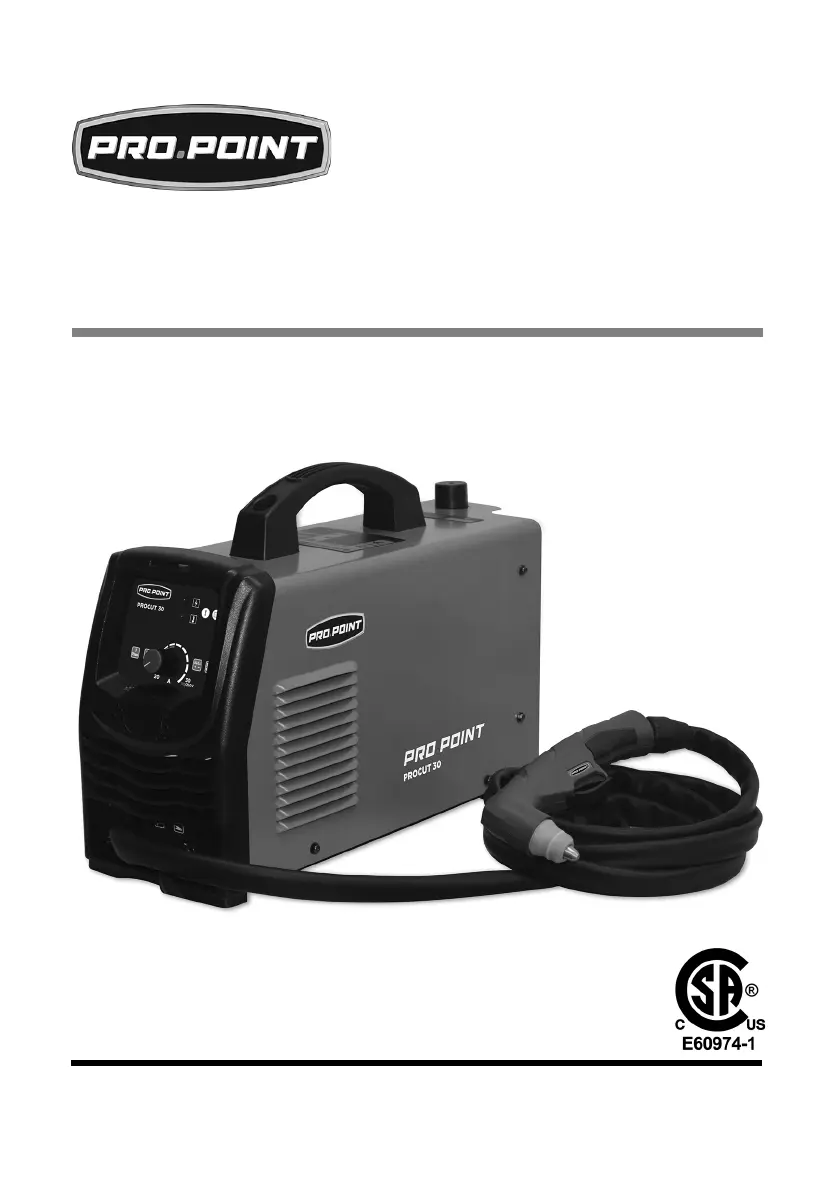
pro.point 30A PRO CUT 30 - User Manual

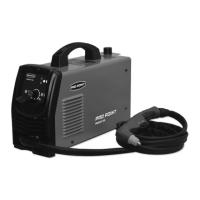
pro.point 30A PRO CUT 30
68 pages
Print Icon
To Next Page IconTo Next Page
Loading...
V1.0 8784639
Please read and understand all instructions before use. Retain this
manual for future reference.
USER MANUAL
30A PRO CUT 30
PLASMA CUTTER

Questions and Answers

  • P
    Paul CookeAug 12, 2025
    What to do if my pro.point Welding System has no response after turning on?
    • T
      Tamara ChaseAug 12, 2025
      If your pro.point Welding System doesn't respond when you turn on the power, there might be a few reasons: * The power supply could have the wrong phase. Try plugging it into a single-phase power supply. * The power supply switch might be broken, in which case you should replace it. * A fuse could be blown, so replace the fuse. * There might be no input voltage. Check the outlet and power supply cable for power. If they're not working, have an electrician repair them.
  • A
    Alexandria PaulAug 16, 2025
    Why pro.point 30A PRO CUT 30 can't cut material or has no current output?
    • B
      Brooke RossAug 16, 2025
      If your pro.point Welding System can't cut material or has no current output, consider these potential causes: * The discharge gap may be too big. Adjust it to a suitable gap. * The workpiece might be too thick. Refer to the specifications to ensure it's within the unit's capabilities. * The electrical circuit may be incomplete. Check that the ground cable is properly connected. * There could be improper grounding. Ensure the ground clamp contact point is clean.
  • S
    Steven RiversAug 19, 2025
    What to do if the fan doesn’t work after turning on the pro.point Welding System?
    • D
      David HaneyAug 20, 2025
      If the fan in your pro.point Welding System doesn’t work after turning on the power, it could be due to several reasons: * The fan might be damaged, requiring replacement. * The fan’s down-lead could be broken; examine and repair it. * The fan blade might be blocked; remove the blockage. * The transformer could be ruined, necessitating replacement.
  • S
    Samantha MasseyAug 23, 2025
    Why is the cut too wide and the cut quality poor with my pro.point 30A PRO CUT 30?
    • R
      Richard PowersAug 25, 2025
      If the cut from your pro.point Welding System is too wide and the cut quality is poor, here are a few things to check: * The cutting speed might be too slow. Try accelerating the cutting speed. * The torch’s electrode or nozzle could be burnt down. Replace the electrode or nozzle. * The cutting speed may be too high. Slow the cutting speed. * You might be using the wrong type of nozzle. Replace it with a suitable nozzle.
  • J
    justinblakeAug 27, 2025
    What to do if the workpiece is not cut through with my pro.point Welding System?
    • L
      Lindsay PhillipsAug 27, 2025
      If the workpiece is not cut through using your pro.point Welding System, consider the following: * The cutting speed might be too rapid. Slow down the cutting speed. * The torch electrode or nozzle could be burnt out. Replace the electrode or nozzle. * The cut thickness may exceed the limit of the cutting unit. Replace with a high-power plasma cutting unit. * The cutting mouth may not be vertical. Adjust the cutting mouth angle.
  • A
    Amber TerrellAug 31, 2025
    Why is the pilot plasma not stable during operation of my pro.point 30A PRO CUT 30 Welding System?
    • H
      hilllisaAug 31, 2025
      If the pilot plasma is not stable during the operation of your pro.point Welding System, consider these potential issues: * The compressed air pressure might be too low or too high. Adjust the pressure. * The electrode of the cutting torch or nozzle could be burnt. Replace the electrode or nozzle. * The connection between the ground cable and the workpiece may be poor. Connect them firmly. * The cutting speed might be too slow. Adjust the speed.
  • M
    Mrs. Sarah AdamsSep 4, 2025
    How to fix a cut at the wrong angle with pro.point Welding System?
    • A
      Alicia VillaSep 4, 2025
      If the cut is at the wrong angle when using your pro.point Welding System, check the following: * The nozzle or electrode might be burnt. Replace the nozzle or electrode. * The installation position of the nozzle and electrode may not match. Correctly install both. * The cutting speed could be too high. Slow down the cutting speed. * The nozzle axis might not be plumb with the plane. Adjust the torch angle.
  • J
    Jessica WarrenSep 8, 2025
    Why is there no air coming from my pro.point 30A PRO CUT 30 Welding System?
    • C
      Carla AdamsSep 8, 2025
      If there is no air coming from your pro.point Welding System, it could be due to these reasons: * The air valve might be damaged. Replace the air valve. * The air circuit could be blocked. Clean the blockage. * The down-lead might be broken. Examine and repair it.

Summary

Plasma Cutter Specifications

Safety Precautions and Hazard Definitions

Hazard Definition Key

Explains various hazard alert levels (e.g., Danger, Warning) for safe operation.

Personal Safety and Protective Gear

Protective Clothing Requirements

Respirator Use and Guidelines

General Personal Safety Precautions

Specific Safety Precautions for Operation

Fire and Explosion Prevention Measures

Fumes and Gases Safety Management

Electrical Safety Warnings and Precautions

Power Tool Operation Safety

Power Cord Safety and Handling

Assembly and Installation Procedures

Plasma Cutter Operation Guide

Ground Clamp Attachment Procedure

Selecting the Correct Amperage

Manual Cutting Technique and Best Practices

Workpiece Piercing Technique

Using the Standoff Guide for Cutting

Thermal Overload Protection System

Tool Care and Maintenance Best Practices

Plasma Torch Maintenance and Consumables

Recommended Maintenance Schedule

Troubleshooting Common Operational Problems

pro.point 30A PRO CUT 30 Specifications

General IconGeneral
Input Frequency50/60Hz
Efficiency85%
Power Factor0.93
Insulation ClassF
Protection ClassIP21S
Cooling SystemFan Cooled
Output Current30A
Duty Cycle60%

Related product manuals