7
4. Operation Guide
4.1 Measurement Preparations
Turn the transfer switch to the desired measurement position, turn on the power. If the
battery voltage is low (of about ≤2.4V), the LCD will show “ ”symbol, then the
battery shall be replaced.
4.2 Readings Hold
During the measuring process, if the readings are required to hold, press “Hold “ key ,the
display value will be locked, press “Hold “ key again to cancel readings hold.
4.3 Back Light & Flash Light
1) In the process of measurement, if the ambient light is too dim, causing reading
difficulties, press “ BL / FL “ key to open Back Light and it will automatically off after
about 30 seconds, or press “ BL / FL “ key again to close Black Light.
2) Press “ BL / FL “ key for about 2s, to turn on the flash light function and the
backlight at the same time. Short press the “ BL / FL “ key again to turn off the
function. It turns off automatically with no operation for 30 seconds, the Back
Light will be turned off.
4.4 Auto Power Off
1) If after 15 minutes when the meter is on without any operation, it will go into
hibernation and automatically shut down to save power. Before the meter off, there
will be sound “di-di-di” of the buzzer to remind.
2)Press any key after auto power off to wake the meter into working status.
4.5 AC or DC Current Measurement
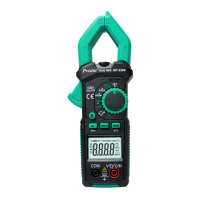
1) Turn the rotary switch to the appropriate position 60A or 600A.
2) Press “FUNC” to choose the ACA or DCA.
3) Hold the trigger, open the clamp head and clamp one cable of the measured circuit.
4) When measured signal >0.05A, the LCD of the meter displays the measured current
value.


 To Next Page