3: In peak value measurement mode, data hold mode and zero
calibration modes, it will be effective to press and hold RAN key for a
long time.
4: In this mode, when measurement value exceeds present range, “OL”
will appear on LCD interface to indicate over-range, and the user
should switch over the measurement range at this time.
Application of relative/peak value measurement mode
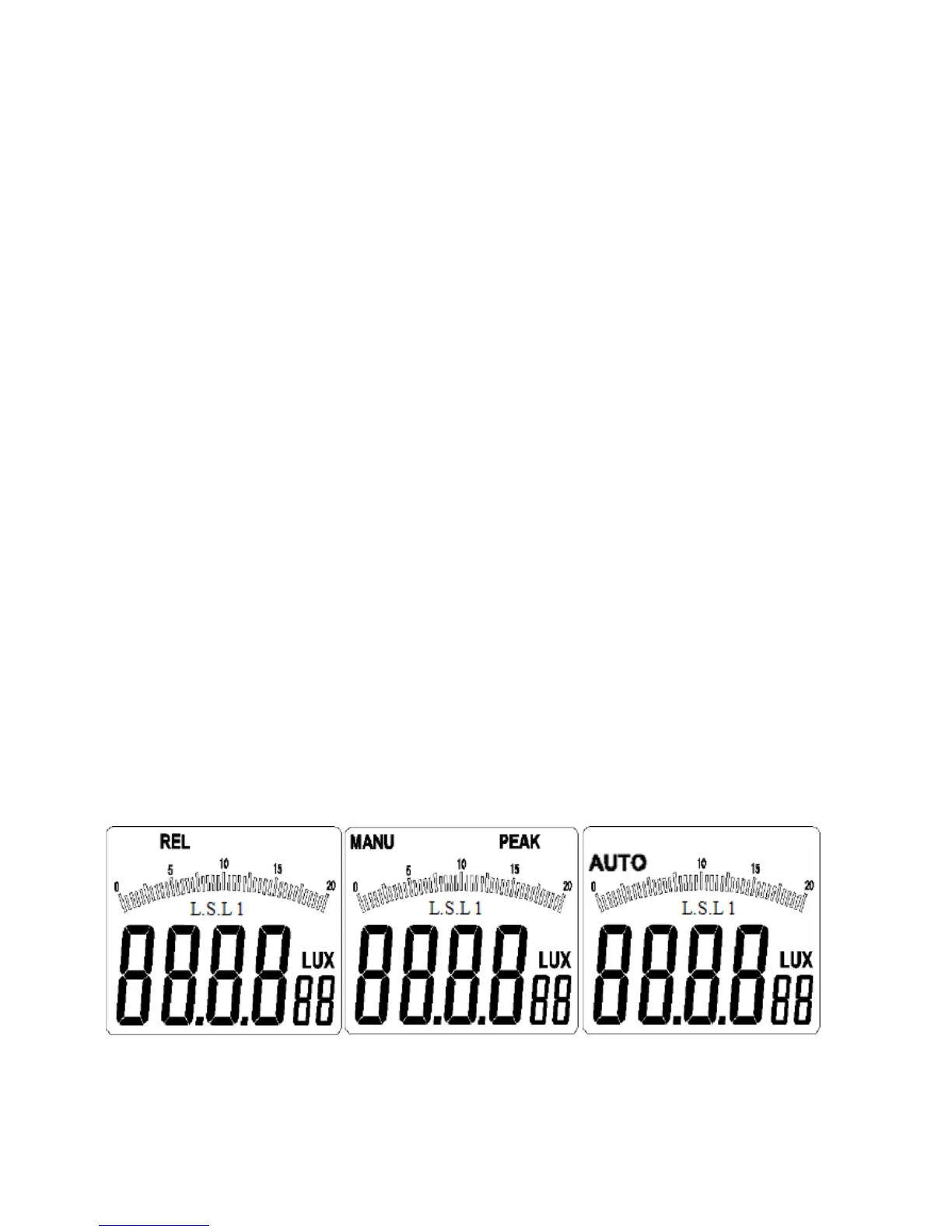
Press and hold REL/PEAK key for a short time (composite key for
relative/peak value measurement), “REL” will appear on the top left
position of the LCD interface (as shown in figure 3-1-2A), and the
device will enter the relative value measurement mode;
Press and hold REL/PEAK key for a short time again, “REL” on the
top left position of the LCD interface will disappear, and the device
will exit the relative value measurement mode and return to
original measurement mode;
Press and hold “REL/PEAK” key for one second, the device will
enter the peak value measurement mode, “PEAK”LCD will appear
on the top right position of the LCD interface, and at the same time,
“MENU” will appear on the top left position of the LCD interface (as
shown in figure 3-1-2B);
Press and hold the key once again for one second, “PEAK” on top
right position of LCD interface will disappear, and “AUTO” will
appear on the middle of LCD interface, and the device will exit the
peak value measurement mode and return to auto measurement
mode (as shown in 3-1-2C).
Figure 3-1-2A Figure 3-1-2B Figure 3-1-2C


 To Next Page
 Loading...




