Tip
1: Only in auto measurement mode, peak value measurement mode,
max/min value inquiry mode and data hold mode, it will be effective
to press and hold REL/PEAK key for a short time.
2: In non-zero calibration mode, press and hold “REL/PEAK” for one
second, the device will enter the peak value measurement mode.
Application of maximum/minimum value inquiry mode
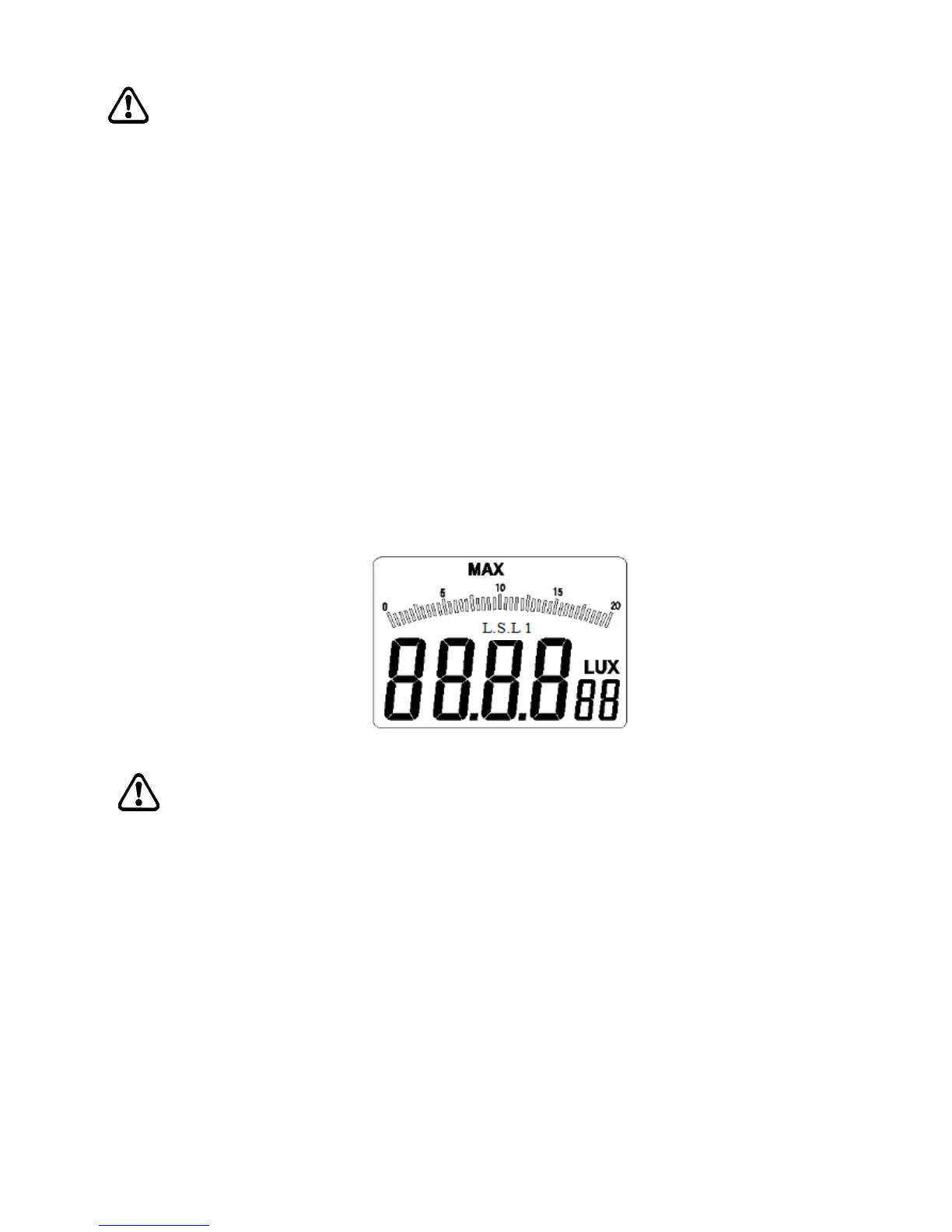
Press and hold “MAX/MIN” key for a short time, “MAX” will appear on
top LCD interface (as shown in figure 3-1-3);
In max/min value inquiry mode, press “MAX/MIN” key once, you will
switch MAX to MIN or MIN to MAX;
Press and hold “MAX/MIN” for one second, “MAX/MIN” on top LCD
interface will disappear, and the max/min value inquiry mode will exit.
Figure 3-1-3
Tips
In non-zero calibration mode, press and hold “MAX/MIN” key for a short
time to use the max/min value inquiry functions;
Application of data hold and zero calibration mode
Press and hold “HOLD/ZERO” key for a short time, “HOLD” will
appear on the top left position of the LCD interface (as shown in
3-1-4A), then the device will enter the data hold mode;
Press and hold the key again, “HOLD” on the top left position of
the LCD interface will disappear, and the meter will exit the data
hold mode;


 To Next Page