7
ver. 1.1
5) Memory mode 1. Turn on the device, and choose the desired units,
2. Set the device at the angle you want to store,
3. Long-press the “SOUND” (7) button (for approx. 2 sec.),
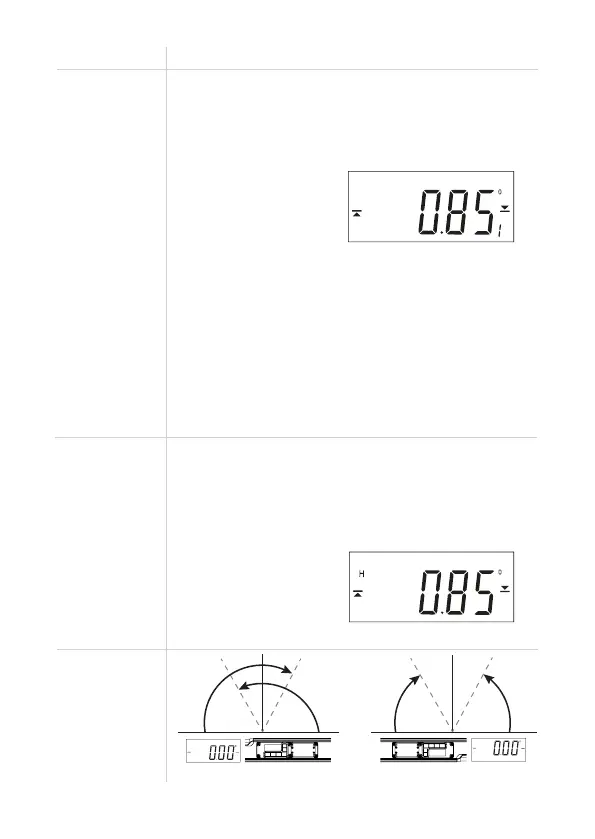
4. The screen will start to flash and in the right bottom corner
the number of the stored measurement will appear:
5. When the screen stops flashing, your measurement has been
stored. The device turns back to normal mode and you can
continue to work,
6. Repeat again steps 2, 3, 4 to store more measurements,
7. Long-press the “LIGHT” (6) button (approx. 2 sec.) to read
stored measurements. Use “REF” (8) and “SOUND” (7) buttons
to scroll through stored data.
8. Long-press the “LIGHT” (6) button to switch back to Normal
mode.
WARNING! After filling all 19 memory slots, the next measurement
will overwrite the oldest one.
No. Mode Description
6) HOLD function
7) Display
autorotate
When measuring while you can’t see the screen, you can use the
“HOLD” function.
1. Make a measurement,
2. Press the “HOLD” button (5),
3. Take the spirit level back and read the value,
The screen in HOLD mode (“H” letter is visible):
4. Press again the “HOLD” button (5) to exit the Hold mode.
0 deg
at normal position
HORIZONTAL measurement
at reverse position
VERTICAL measurement
-75 deg 75 deg



 To Next Page