Factory Default Program
Day of the
Week
Events
Time
Setpoint
Temperature
(Heat)
Setpoint
Temperature
(
Co
ol)
70° F (21° C)
75° F (24° C)
62° F (17° C)
83° F (28° C)
70° F (21°
75° F (24° C)
62° F (17° ()
78° F (26° C)
70° F (21° ()
75° F (24°
62° F (17°
83° F (28° C)
70° F (21° C)
75° F (24° C)
62° F (17° C)
78° F (26° C)
70° F (21°
75° F (24° C)
62° F (17° C)
83° F (28° C)
70°
(21° C)
75° F (24° C)
62° F (17° C)
78° F (26° C)
Wake
_It
Leave
Return
At
Sleep
Saturday
Wake
If
Leave 4
-
11
Return ill
Sleep Iff
Sunday
Wake .,14.
Leave ii
-
fe
6 a.m.
8 a.m.
6 p.m.
10 p.m.
8 a.m.
10 a.m.
6 p.m.
11 p.m.
8 a.m.
10 a.m.
Weekday
Return
611
Sleep 41.
6 p.m.
11 p.m.
PROGRAMMING THE THERMOSTAT
Set Time
Follow the steps below to set the day of the week and current time:
1.
Press
MENU
2.
Press
SET TIME
3.
Day of the week will be flashing. Use the
day of the week.
4.
Press
NEXT STEP
or
key to select the current
5.
The current hour is flashing. Use the + or
key to select the current hour.
When using
12-hour time, make sure the correct a.m. or p.m. choice is selected.
6.
Press
NEXT STEP
7.
Minutes are now
flashing. Use the ÷ or
key to select current minutes.
8.
Press
DONE
when completed
Programming
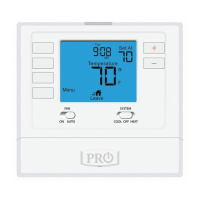
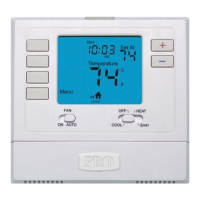
All programmable Prot thermostats are shipped with an energy saving pre-program.
You can customize this default program by following the Set Program Schedule.
Your thermostat can be programmed to have all the weekdays the same, a separate
program for Saturday, and a separate program for Sunday. There are four time periods
for each program
(WAKE, LEAVE, RETURN, SLEEP).



 To Next Page
 Loading...