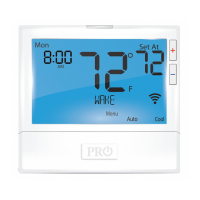
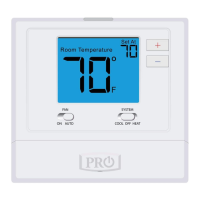
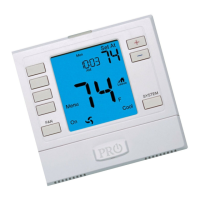
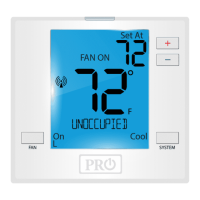
Set Program Schedule For Two Time Periods
1. Select HEAT or COOL with the system key.
Note: You have to program heat and cool each separately.
2. Press the MENU button (If menu does not appear rst, press
RUN SCHED).
3. Press SET SCHED. Note: Monday-Friday (Monday if in 7day) is dis
played and the OCCUPIED text is shown. You are now program
ming the OCCUPIED time period for that day.
4. Time is ashing. Use the or key to make your time
selection for that day’s OCCUPIED time period.
Note: If you want the fan to run continuously during this time
period, select ON with the FAN key. If you want to use IAQ
mode during this time period, select IAQ with the fan key.
5. Press NEXT.
6. The setpoint temperature is ashing. Use the or key
to make your setpoint selection for that day’s OCCUPIED period.
7. Press NEXT.
8. Repeat steps 4 through 7 for that day’s UNOCCUPIED time
period.
To customize your 5+1+1 Program schedule, follow these steps:
Weekday:
(OCCUPIED, UNOCCUPIED)
Programming Programming
Repeat steps 4 through 7 for the Saturday WAKE/OCC1 time period, for the
Saturday LEAVE/UNOCC1 time period, for the Saturday RETURN/OCC2
time period, and for the Saturday SLEEP/UNOCC2 time period.
Saturday:
Repeat steps 4 through 7 for the Sunday WAKE/OCC1 time period, for the
Sunday LEAVE/UNOCC1 time period, for the Sunday RETURN/OCC2 time
period, and for the Sunday SLEEP/UNOCC2 time period.
Sunday:
A Note About Auto Changeover:
When in Auto you have the ability to switch between auto heat or auto
cool by pressing the system key. This can be done once the current
mode has reached its setpoint. For example: if in auto heat, the heat
setpoint must be satised before the thermostat will allow you to switch
to auto cool. You can switch out of auto by holding down the system
key. To get back into auto, you must toggle the system key to auto.
To customize your 7 day Program Schedule, repeat
steps 4 through 8 for the Tuesday, Wednesday, Thursday,
Friday, Saturday and Sunday time periods.
Continued on next page...

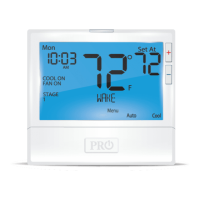

 To Next Page
 Loading...