EasyManua.ls Logo

Pro1 IAQ T855iSH - User Manual

Pro1 IAQ T855iSH
12 pages
Print Icon
To Next Page IconTo Next Page
Loading...
Operation ManualOperation Manual
Question and Answer IconNeed help?

Do you have a question about the Pro1 IAQ T855iSH and is the answer not in the manual?

Summary

Thermostat Operation

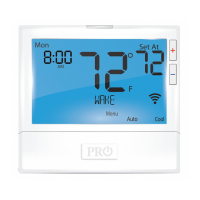
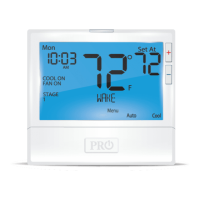
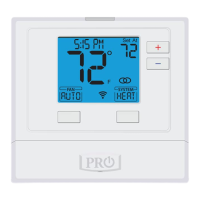
LCD Display Overview

Details about the information presented on the thermostat's liquid crystal display screen.

Temperature Setpoint Buttons

Buttons used to adjust the desired room temperature up or down.

Program Buttons

Buttons used for setting the thermostat's time and program schedule.

System Button Operation

Button to select HVAC system modes (HEAT, COOL, AUTO, OFF, EM HEAT).

Thermostat Quick Reference

System Button Operation Modes

Selects HVAC system mode (Off, Cool, Auto, Heat, Emergency Heat).

Setting the Humidity

Programming

Customize 7-Day Program Schedule

Guide to setting a custom 7-day, 4-period program schedule.

Set Program Schedule for Two Time Periods

Steps for setting occupied and unoccupied time periods.

Features

Temporary & Permanent Hold Feature

Describes how to temporarily or permanently hold thermostat settings.

Keypad Lockout Note

Explains the keypad lockout feature, including custom and master codes.

Overview

This document is an operation manual for the Pro1 Technologies T855iSH thermostat.

Function Description

The Pro1 Technologies T855iSH is a programmable thermostat designed to control HVAC systems, including heating, cooling, and humidity. It offers 7-day, 4-time period programming (WAKE/OCC1, LEAVE/UNOCC1, RETURN/OCC2, SLEEP/UNOCC2) or a simpler 2-time period programming (OCCUPIED, UNOCCUPIED) to optimize comfort and energy efficiency. The thermostat supports various system modes such as HEAT, COOL, OFF, AUTO, and EM HEAT (for heat pumps). It also features a programmable fan with ON, AUTO, and IAQ (Indoor Air Quality) modes. The IAQ mode, when selected, enables IAQ FAN MODE, which can be programmed to run continuously during specific time periods to circulate air and eliminate hot/cold spots.

The thermostat includes a humidity control feature, allowing users to set a target humidity setpoint. It can energize humidification during heat mode and dehumidification during cool mode. The target humidity setpoint is not programmable and does not change quickly, unlike temperature.

A "Glow in the dark light button" self-illuminates for several hours after exposure to ambient light and turns on the display light when pressed. The LCD display provides comprehensive information including current room temperature, setpoint temperature, time of day, outdoor temperature, humidity percentage, system status (COOL ON, FAN ON, HEAT ON), number of heating or cooling stages running, hold indicator, keypad lockout indicator, and Wi-Fi connection status.

Important Technical Specifications

  • Model: T855iSH
  • Power Source: Likely battery-operated (mentions "Replace AA Batteries when low battery indicator shows in display") and/or wired to the HVAC system.
  • Temperature Range: Not explicitly stated, but setpoint temperatures are adjustable.
  • Humidity Range: Recommended relative humidity settings are provided based on outdoor temperature, ranging from 15% to 40%.
  • Programming: 7-day, 4-time period or 2-time period schedules.
  • Connectivity: Wi-Fi enabled (indicated by "WIFI Indicator").
  • Warranty: 5-year limited warranty, requires registration within 60 days of installation.

Usage Features

  • Temperature Setpoint Adjustment: Uses + or - buttons to select the desired room temperature.
  • System Mode Selection: The "System Button" allows selection between Off, Cool, Auto, Heat, and Emergency Heat.
  • Fan Operation Selection: The "Fan Button" changes fan operation between Auto, IAQ, and On.
  • Humidity Setpoint Adjustment: Pressing the "HUMIDITY" key and using + or - buttons allows setting the target humidity.
  • Time and Schedule Setting: The "MENU" button provides access to "SET TIME" and "SET SCHED" for programming.
  • Temporary & Permanent Hold: Allows users to temporarily or permanently override the programmed schedule. "HOLD" appears on the display when activated. "RUN SCHED" button exits hold modes.
  • Auto Changeover: The thermostat can automatically switch between heating and cooling modes when set to "AUTO," once the current mode's setpoint is satisfied.
  • Keypad Lockout: A security feature that disables some or all buttons. It can be activated by pressing and holding + and - buttons for 3 seconds. A custom code can be created, or a master code (7761) can override any custom code.
  • Display Readout: The LCD provides a clear and comprehensive overview of the thermostat's status and settings.
  • Multilingual Support: A Spanish version of the manual is available for download on the company's website.

Maintenance Features

  • Filter Change Reminder: The thermostat can be configured by an HVAC contractor to display a reminder when the air filter needs changing. This reminder is reset by holding down the "Set Time/Run Schedule" button for 3 seconds.
  • Other Maintenance Reminders: The thermostat also includes reminders for Humidity Pad, UV lamp, and IAQ Cell, which are reset using the same procedure as the filter change reminder.
  • Battery Replacement Indicator: The display shows a low battery indicator, prompting users to replace AA batteries.
  • Professional Consultation: Users are advised to consult a professional HVAC technician for recommended cooling settings for their climate and before changing any "TECH SETUP" options, which are for installer configuration.
  • Warranty Registration: The manual provides instructions for registering the product online or via mail to ensure warranty coverage.

Pro1 IAQ T855iSH Specifications

General IconGeneral
BrandPro1 IAQ
ModelT855iSH
CategoryThermostat
LanguageEnglish

Related product manuals