Features
Filter Change & Other Reminders
This thermostat also has other maintenance reminders (Humidity
Pad, UV lamp, and IAQ Cell), that are reset with the same procedure.
Features
16
17
If your HVAC contractor has congured the thermostat to remind
you when the air lter needs changed, you will see a reminder in the
display when your air lter needs to be changed.
Resetting The Filter Change Reminder: When the reminder
is displayed, you should change your air lter and reset the reminder
by holding down the Set Time/Run Schedule button of the
thermostat for 3 seconds.
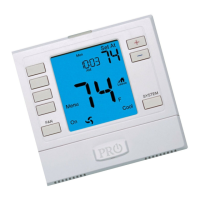
Keypad lockout provides the option to disable some or all of the
buttons on the thermostat. This feature is activated by pressing and
holding the and buttons for 3 seconds. On this model, the
keypad lockout feature has a selectable option to create a custom
code for keypad lockout operations. Also, if a code is not created for
keypad lockout, this feature will still perform keypad lockout
functions without a custom created code. If a custom keypad
lockout code is enabled, the custom created code will need to be
entered in order to disable the keypad lockout on the screen. If the
custom code is created and the occupant forgets the custom lockout
code, the master keypad lockout code will always override any
custom created code. The master keypad lockout code is 7761.
Keypad Lockout Note:


 To Next Page
 Loading...