12
11
INSTRUCTIONS FOR USE
1. Prepare the Unit
TM
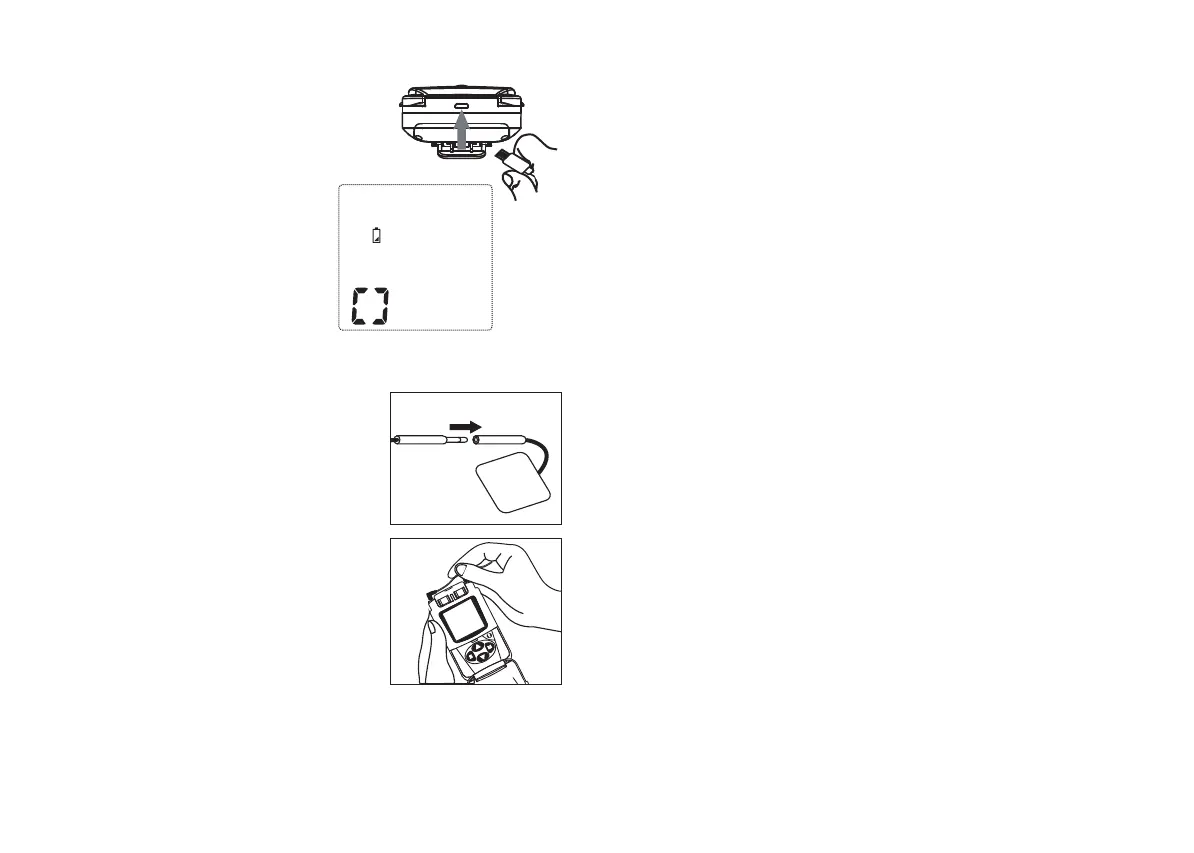
Before use, charge the Alevia
with the enclosed USB cable.
It can be plugged into a computer’s
USB port or into a wall socket using
a adaptor (5v 300 mAh adaptor
not included).
When battery is fully charged
the LCD battery indicator
will stop flashing.
Charging time: 3 hours
2. Connect electrodes to lead wires
Insert the lead wire connector into
the electrodes connector, ensuring
that no bare metal remains exposed.
3. Connect lead wires to the device
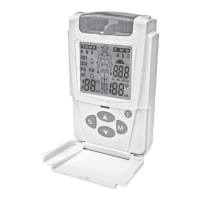
This device has 2 output channels,
which can be used simultaneously
(with 2 electrode pairs) or individually
(1 channel with 1 electrode pair). After
making sure that the device is turned
off, insert the wire plugs into the sockets
at the top of the unit.
Caution: Always use the lead wires
supplied with this unit.
4. Place electrodes on skin
Ensure that the skin surface where the electrodes will be placed
is clean and dry. The electrodes should be placed firmly and evenly
on the skin to ensure good contact.
Caution:
• Always wash and dry the treatment area. Do not apply any creams
or gels as this may reduce the adhesion of the gel pads.
• Do not turn the device on when the electrodes are not
applied to the treatment area. Never adjust, reposition or
remove the electrodes while the device is still on.
•Always use this device with 4 cm self-adhesive electrodes,
or larger. If they seem to have lost their adhesive properties,
TM
replace with new ProActive electrodes.
Important note: Electrode positioning can be one of the most
important parameters in achieving success with TENS therapy.
5. Turn the device on
Carefully read the contraindications and safety information in this
manual before using for the first time. Turn the intensity control for
either channel 1 or 2 clockwise. The device will beep. Continue as
described below before increasing output intensity.
6. Select the therapy program (mode) and site
Press M until the required mode (EMS or TENS) and body part are
selected. The selected therapy mode will then flash on screen.


 To Next Page