
 Need help?
Do you have a question about the PROCASTER 43A920H and is the answer not in the manual?
This document provides operating instructions for a PROCASTER 43A920H Colour Television with Remote Control. The TV supports Ultra HD (4K:2K) resolution, High Dynamic Range (HDR) / Hybrid Log-Gamma (HLG), and Dolby Vision for enhanced visual experience. It runs on the Android™ operating system and includes Google Cast and voice search functionalities.
The PROCASTER 43A920H is a color television with a remote control, designed for home and general use. It integrates a digital terrestrial/cable/satellite TV tuner (DVB-T-T2/C) and offers various connectivity options. The Android™ operating system provides access to a wide range of applications, streaming services, and media playback.
Key Features:
Initial Setup: Upon first power-on, the TV guides the user through an initial setup wizard, including language selection, remote control pairing, network connection (wired or wireless), Google account sign-in, acceptance of terms of service, location settings, Android improvement data sharing, country selection, password (PIN) definition, and TV mode selection (Home or Store).
Remote Control Operation: The remote control features numeric buttons, volume and program +/- buttons, language selection, microphone for voice search, Home button for the Android TV Home Screen, Guide for EPG, OK for confirmation and sub-menus, Back/Return for navigation, Netflix and YouTube quick access, Menu for Live TV settings, colored buttons for specific functions, Rewind, Stop, Record, Pause/Play, Text for teletext, Fast Forward, Source for input selection, Info for on-screen content, and Subtitles.
TV Control Button: A single control button on the TV allows for quick standby-on functions. Pressing it once puts the TV into quick standby; pressing it again returns to operating mode. It can also turn the TV on.
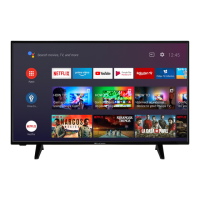
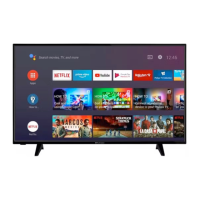
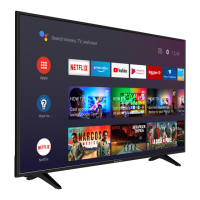
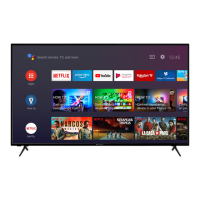
Home Screen: The central hub for Android TV features. It allows launching applications, switching TV channels, watching movies, or selecting connected devices. Options are arranged in rows, navigable with directional buttons. Search tools are available at the top-left, and notifications, inputs, network status, settings, and current time are at the top-right.
Live TV Mode Menu: Accessible via the Menu button on the remote. Options include:
Multimedia Player (MMP): Accessed from the Apps row on the Home Screen. Allows browsing and playing media files (photos, text documents, music, videos) from connected USB devices or media servers. Supports Normal Parser and Recursive Parser viewing styles.
USB Recording: Connect a USB disk to the TV (while off, then turn on) to enable recording. Recommended to use USB HDDs for long duration programs. Recordings are saved to the USB disk and can only be played back on the TV. Supports instant recording and timeshift recording.
Google Cast: Allows casting content from mobile devices (Android and iOS) to the TV. Users can mirror their device's screen or cast directly from Cast-enabled apps like YouTube, Dailymotion, and Netflix.
HBBTV System: Integrates broadcast TV services with broadband services, offering interactive content, VOD, EPG, and multimedia applications. HbbTV applications are typically launched using colored buttons on the remote.
Software Update: The TV supports automatic firmware updates via broadcast signal or the internet. Users can check for updates through the Settings > Device Preferences > About menu. Manual OAD (Over Air Download) is also available.
Troubleshooting & Tips: The manual provides guidance for common issues such as:
Stand Installation & Wall Mounting: Instructions are provided for safely assembling and removing the TV stand. For wall mounting, users are advised to read instructions, use specified screws, and tighten them firmly. VESA wall mount measurements are provided (100x100mm, M4 thread, 7-8mm screw length).
Disk Format: For new USB storage devices used for recording, it is recommended to format them using the Format option in the Record > Device Info menu. This erases all data and converts the file system to FAT32.
Parental Controls: Allows blocking channels, programs based on age ratings, and input sources. PIN entry is required to access these features and to view blocked content. Users can change the default PIN.







 To Next Page
 General