13
CARE AND MAINTENANCE
Always disconnect the appliance from the main power supply and allow it to cool before
any servicing operation.
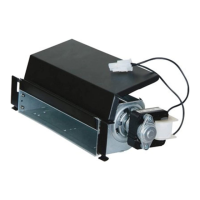
Themotorsusedonthefanheaterandameblowerarepre-lubricatedforextendedbearinglife
andrequirenofurtherlubrication.However,periodiccleaning/vacuumingoftheappliancearound
theairintakeandexhaust,aswellasthefanheaterisrecommended.Forheavyorcontinuous
use,periodiccleaningmustbedonemorefrequently.Iftheheaterblowsalternatingcoldand
warmair,checkthefanforfreemovementandfordebrisrestrictingairow.Ifthefandoesnot
movefreely,theunitmustbeturnedoffandthefanreplacedimmediatelyinordertoprevent
furtherdamagetotheunit.
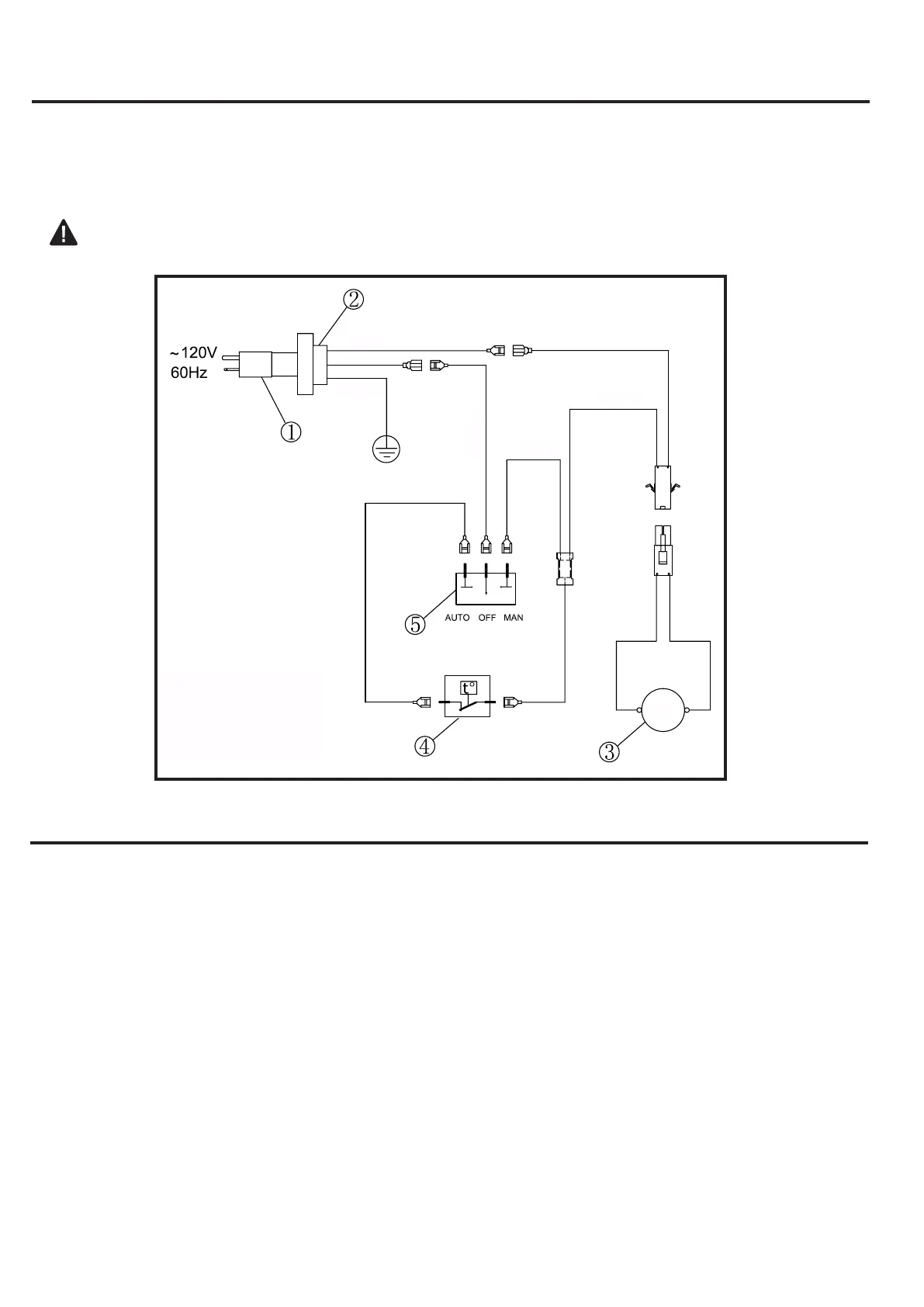
ELECTRICAL WIRING DIAGRAM
Anyelectricalre-wiringofthisappliancemustbedonebyaqualiedelectrician.Thiswiringmust
bedoneinaccordancewithlocalcodesand/orinCanadawiththecurrentCSAC22.1Canadian
ElectricalCode,andforUSinstallations,theNationalElectricalCodeANSI/NFPANO70.
Ifrepairingorreplacinganyelectricalcomponentorwiring,theoriginalwirerouting,color
codingandsecuringlocationsmustbefollowed.
1.PowerCord
2.BushingStrainRelief
3.Fan
4.TemperatureLimiter
5.RockerSwitch
WHITE
GREEN
BLACK
RED
FAN
BLACK


 To Next Page