Need help?
Do you have a question about the Prodipe 49 C and is the answer not in the manual?
Key safety guidelines for operating and maintaining the appliance, including warnings against water exposure and proper handling.
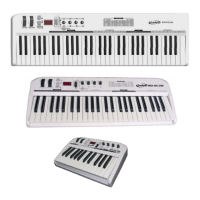
Details the key features of the Prodipe 61 C / 49 C / 25 C USB-MIDI Controller, including its keys, pedals, wheels, and connectivity.
Detailed explanation of the functions and indicators of each button, dial, wheel, and LED on the keyboard's front panel.
Description of the MIDI Out, Pedal A/B inputs, USB, DC 9V, and Power OFF/ON interfaces on the rear panel.
Guidance on connecting the keyboard via USB or optional DC power supply for operation and MIDI data transfer.
Procedure for entering multi-function mode and assigning controllers using the EDIT button and numeric pad.
How to adjust the pedal resistance curve for different pedal types and settings.
Procedure for adjusting the tempo using DATA +/- buttons or dials, or via the TEMPO function.
Methods for adjusting the program (voice) of the current channel using DATA +/- buttons or dials.
Setting the global MIDI channel or individual MIDI channels for dials.
Adjusting the keyboard's pitch up/down by semi-tones using DATA +/- or dials.
Changing the keyboard's pitch up/down by octaves using DATA +/- or dials.
Enabling or disabling the dual function to play two voices simultaneously, which turns off split.
Splitting the keyboard into two sections with independent channels, and setting MIDI channels for each.
Choosing the central note that divides the keyboard into left and right sections for split mode.
Enabling/disabling MIDI Time Code (MTC) and Active Sensing messages.
Activating the lock function to prevent controller changes and the mute function to stop MIDI transmission.
Transmitting data from multiple controllers simultaneously using the SNAP SHOT function.
Procedure for uploading/downloading user parameters using Cubase's Record Style.
Procedure for uploading/downloading user parameters using Cakewalk's System Message Window style.
How to recognize or change the polarity of connected pedals (Pedal A/B).
Using the SWITCH button to shift dial function groups between R1-R4 and R5-R8.
Transmitting MIDI messages to stop all notes or all sounds in case of abnormal output.
Sending MIDI messages to reset all controllers to their default values.
Sending GM, GS, XG initialization messages for compatibility with General MIDI standards.
Returning to factory presets or setting numbers to zero using the PRESET and CLEAN buttons.
Resetting controlled parameters to 0 by pressing DATA +/- buttons simultaneously.
List of assignable controllers, their item names, channel ranges, and initial parameters.
List of controller numbers, definitions, initial values, and value ranges for MIDI control.
Explanation of the status codes displayed on the LED, indicating functions like upload, download, or errors.
Details on keyboard type, MIDI functions, controller parameters, and system reset capabilities.
Information on panel controls, LED display, input/output ports, and power supply.
 General
| Brand | Prodipe |
|---|---|
| Model | 49 C |
| Category | Synthesizer |
| Language | English |


 To Next Page