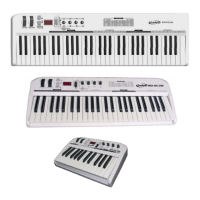
Preset (61 C / 49 C only)
9 Press EDIT button to enter keyboard multi-function mode, and then press PRESET to
return to factory preset.
9 System starts SNAP SHOT function to transmit preset to sequent device.
Clean (61 C / 49 C only)
9 While using numeric pad to enter numbers, press CLEAN button to set the number
to 0.
Reset
9 If not especially mentioned, press DATA +/- buttons at the same time to set
controlled parameter to 0.


 To Next Page