Copyright © 2005 IPE Music Page 3
3 - Settings
There are different settings on the rear panels of your monitors:
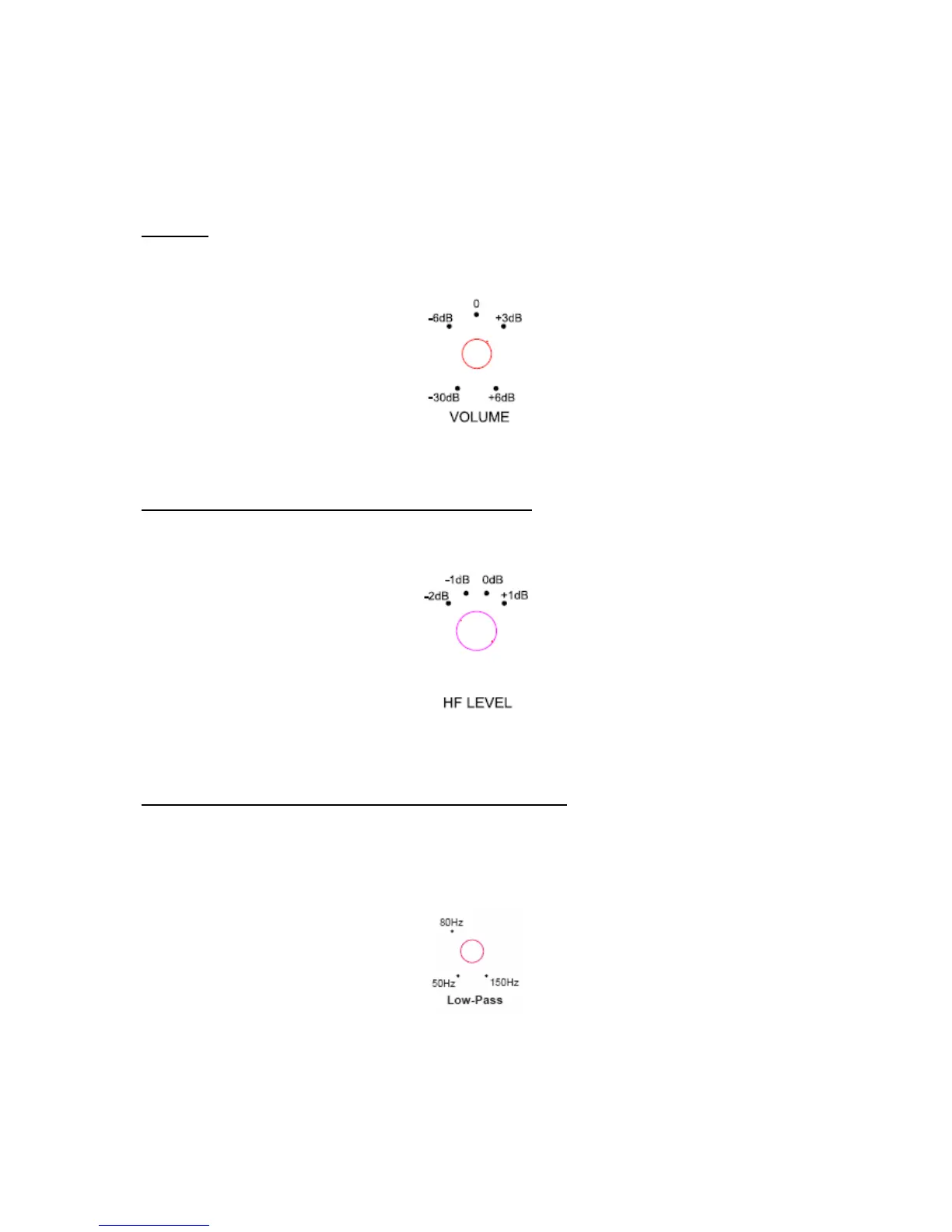
VOLUME
You can adjust the gain setting at the back of the monitor using the changeover switch in
Figure 3.
It can be set from -30dB to +6dB.
Figure 3
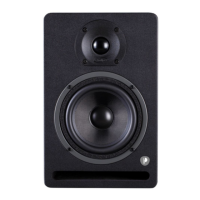
ADJUSTING THE HIGH FREQUENCIES (HF LEVEL)
You can adjust the high frequencies at the back of the monitor (Figure 4).
The possible values are +1dB, 0dB (flat), -1dB, or -2dB at around 2 kHz.
Figure 4
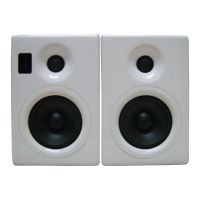
FREQUENCY OF THE LOW-PASS FILTER – Pro10s only
This 3-position changeover switch lets you select the cut-off frequency for the low-pass
filter. It lets you determine the lowest frequency that will be passed through to the main
monitors. By adjusting the subwoofer cut-off to 80Hz, you can ensure that there will be no
break in the signal to the main monitors.
Figure 5


 To Next Page