7
GENERAL INFORMATION
Thank you for having chosen a PROEL product.
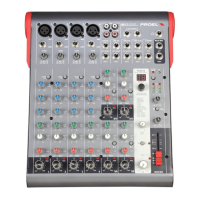
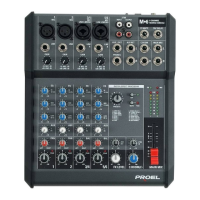
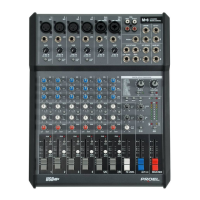
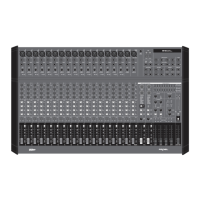
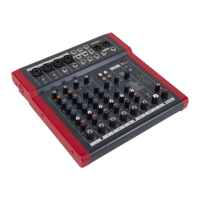
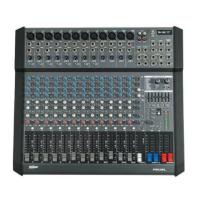
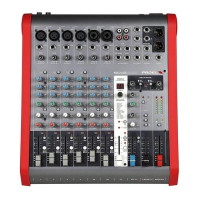
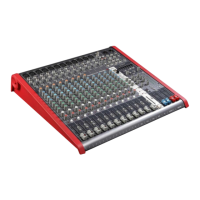
The new Mi Series has been created by PROEL in order to off er very compact mixers with a high input density at a very
aff ordable price. The series includes 3 models with 6, 10 and 12 channels, featuring in a very compact package a high
number of inputs and a full set of intelligent features, able to sa sfy most of the sound reinforcement applica ons.
The Mi6 off ers in a ultra-compact format the sound and the quality of large professional consoles, delivering a clean
and accurate sound and full mixing capability in a stylish and unconven onal case.
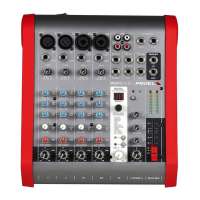
OPERATING INSTRUCTIONS (FIG. 1 / 2 / 3)
1. MIC Input
This is a female XLR connector, which accepts a balanced microphone input from almost any type of microphone. The
XLR inputs are wire as follows:
Pin 1 = shield or ground
Pin 2 = + posi ve or "hot"
Pin 3 = - nega ve or "cold"
2. LINE Input
This is a ¼” (6.3mm) jack connector, which accepts a balanced or unbalanced line level input signal from almost any
source. When connec ng a balanced signal, wire them as follows:
Tip = + posi ve or "hot"
Ring = - nega ve or "cold"
Sleeve = shield or ground
When connec ng an unbalanced signal, wire them as follows:
Tip = + posi ve or "hot"
Sleeve = shield or ground
3. GAIN Control
The gain control adjusts the input sensi vity of the mic and line inputs. This allows the signal from mics and instruments
to be adjusted to op mal internal levels. If the signals are plugged into the XLR input there is a 10 dB of gain with the
knob turned all way down, ramping up to 50 dB of gain fully up. When connected to the jack input, there is 20 dB of
a enua on all way down and 20 dB of gain fully up, with a unity gain (0 dB) if centered.
4. EQ sec on HIGH control
This control gives you up to 15dB boost or cut at 12KHz with a "SHELVING" curve shape. Use it to increase or reduce
the sound "clarity" or "brightness".
5. EQ sec on LOW control
This control gives you up to 15dB boost or cut at 80Hz with a "SHELVING" curve shape. Use it to increase or reduce the
sound "punch".
6. PAN control
It adjusts the amount of channel signal sent to the le versus the right outputs. Use it to posi on the signal in a
panoramic stereo scene.
7. PEAK detector
The PEAK LED fl ashes when the input signal is near to the CLIPPING point. IMPORTANT: if the LED PEAK fl ashes reduce
the level of the input signal using the GAIN control.
8. FADER LEVEL control
It adjusts the level of the channel 1 or 2 signal and send it to the MAIN MIX outputs.
9. LINE 3/4 LEFT/MONO Input
This is a female JACK connector, which accepts a balanced or unbalanced line level input signal from almost any source.
If the RIGHT jack is not inserted, this channel operate like a MONO channel with this input as a single signal source.
Wiring is the same of point 2.
10. LINE 4 RIGHT Input
This is a JACK connector, which accepts a balanced or unbalanced line level input signal from almost any source. This is
used only in presence of LEFT jack input to use the channel as STEREO.
11. BAL control
It adjusts the amount of channel signal sent to the le versus the right outputs if the channel is used as MONO, or it
fades the LEFT or RIGHT signal amount if the channel is used as STEREO.


 To Next Page